Entry-Level CNC Machine Setting Comparisons for Hobbyist Makers
Compare entry-level CNC machine setting profiles for Shapeoko 5, Onefinity, and Genmitsu. Find optimal feeds, speeds, and controller configs for makers.
The Hidden Bottleneck in Hobbyist CNC Routing
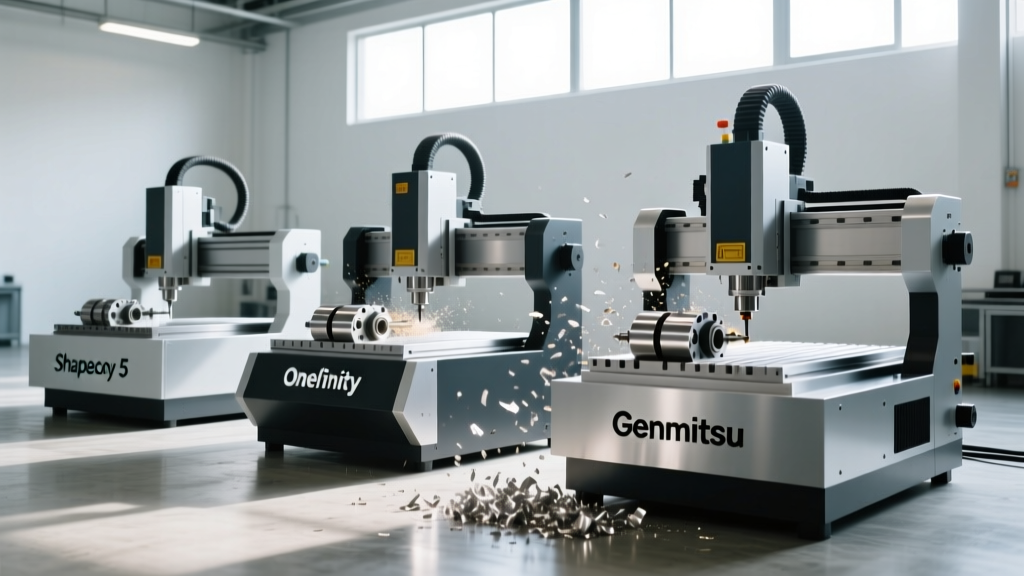
Purchasing an entry-level CNC router is only the first step in a maker's journey; the true barrier to precision lies in the CNC machine setting configurations. Many hobbyists mistakenly apply industrial machining parameters to lightweight, belt-driven frames, resulting in shattered carbide bits, lost steps, and burned MDF. In 2026, the entry-level market is dominated by highly capable machines, but their out-of-the-box software profiles and mechanical limits require distinct tuning approaches. This analysis compares the default and optimized CNC machine setting profiles for the top three hobbyist platforms: the Carbide 3D Shapeoko 5, the Onefinity Woodworker, and the Genmitsu PROVerXL 4030 V2.
Hardware Baseline: Comparing the Big Three
Before adjusting software parameters, you must understand the mechanical constraints of your frame. A CNC machine setting for feed rate and acceleration is entirely dependent on the gantry mass and drive system. Below is a comparison of the baseline hardware limits that dictate your software envelopes.
| Machine Model | Approx. 2026 Price | Drive System | Default Controller | Max Safe Acceleration (mm/s²) |
|---|---|---|---|---|
| Shapeoko 5 (XL) | $2,299 | Belt (NEMA 23) | Carbide Motion (GRBL) | 500 - 800 |
| Onefinity Woodworker | $2,099 | Belt (NEMA 23) | MassO (LinuxCNC based) | 400 - 600 |
| Genmitsu PROVerXL 4030 V2 | $1,199 | Belt (NEMA 23) | FluidNC / GRBL | 300 - 500 |
Controller Ecosystems and Interface Friction
The user interface where you input your CNC machine setting data drastically alters the workflow. Carbide Motion abstracts the underlying GRBL variables into a user-friendly material database. When you select 'Hard Maple' and a '1/4 inch downcut' bit, the software automatically populates the G-code with 18,000 RPM and 45 IPM (inches per minute). While excellent for beginners, this abstraction hides the critical $110 (max rate) and $120 (acceleration) GRBL settings that advanced users must tweak when pushing the Shapeoko 5 to its 2026 mechanical limits.
Conversely, the Onefinity Woodworker utilizes the MassO controller, which operates on a LinuxCNC derivative. This platform assumes the user is generating G-code via external CAM software like Vectric VCarve or Fusion 360. Here, the CNC machine setting responsibility falls entirely on the user's post-processor. If your Fusion 360 post-processor outputs an acceleration command that exceeds the Onefinity's belt tension limits, the stepper motors will stall without warning.
Pro Tip: FluidNC UpgradesFor Genmitsu and older Shapeoko owners, upgrading to a FluidNC controller in 2026 is the highest-ROI modification available. FluidNC allows you to store multiple CNC machine setting profiles directly on an SD card, enabling instant switching between high-torque/low-speed profiles for aluminum and high-speed/low-torque profiles for engraving acrylic.
Spindle Alternatives: RPM Settings Under Load
The most frequently misunderstood CNC machine setting is spindle RPM. Hobbyist routers typically rely on trim routers rather than true VFD (Variable Frequency Drive) spindles. The Shapeoko 5 ships with a Makita RT0701C, while many Onefinity users opt for the DeWalt DW611.
When you set the Makita dial to 30,000 RPM, that is the free-spinning speed. Under a heavy chip load in dense hardwoods like Ipe or Hard Maple, the universal motor will experience RPM droop, sometimes falling below 18,000 RPM. If your feed rate remains constant while the RPM drops, your chipload increases exponentially, leading to catastrophic bit failure. According to Sandvik Coromant's machining recommendations, maintaining a consistent chipload is critical to tool life and surface finish.
Trim Router vs. VFD Spindle Comparison
- Makita RT0701C (1.25 HP): Excellent for woods and plastics. Requires manual dial adjustment. RPM droop is significant under heavy loads. Best CNC machine setting strategy: conservative stepovers (under 40%) to prevent bogging down the motor.
- DeWalt DW611 (1.25 HP): Slightly better torque curve at lower RPMs, making it preferable for aluminum milling where 12,000 to 15,000 RPM is optimal.
- 80mm VFD Spindle (1.5kW - 2.2kW): The ultimate alternative for serious makers. A VFD spindle maintains constant torque across its RPM range. If you set the CNC machine setting to 14,000 RPM via the controller, it will deliver full torque at 14,000 RPM regardless of the material resistance.
Calculating the True Depth of Cut: Rigidity vs. Feed Rate
Entry-level frames lack the cast-iron mass of industrial VMCs. Therefore, your Z-axis depth of cut setting must be inversely proportional to your XY feed rate. The golden rule for hobbyist CNC routing is to prioritize stepover (XY engagement) over depth of cut (Z engagement).
The Chipload Formula:
Feed Rate (IPM) = RPM × Number of Flutes × Chipload (inches per tooth)
Let us apply this to a real-world scenario: cutting 3/4-inch Baltic Birch plywood using a 1/4-inch (6.35mm) 2-flute carbide compression bit.
- Target Chipload: 0.006 inches (standard for plywood with a quality carbide bit).
- Target RPM: 18,000.
- Calculated Feed Rate: 18,000 × 2 × 0.006 = 216 IPM.
On a Shapeoko 5, the rigid steel gantry can easily handle 216 IPM with a depth of cut of 0.25 inches (1 full diameter) per pass. However, on the lighter Onefinity Woodworker or the Genmitsu PROVerXL, pushing 216 IPM at full 1/4-inch depth will induce gantry chatter, resulting in a fuzzy edge finish and potential step-loss on the X-axis. For these lighter frames, the optimal CNC machine setting alternative is to reduce the depth of cut to 0.125 inches (half diameter) while maintaining the 216 IPM feed rate, completing the cut in two passes. This keeps the lateral forces on the V-wheels or linear rails within safe thresholds.
Troubleshooting Common Entry-Level Setting Errors
When your cut quality degrades, avoid the temptation to simply slow everything down. Slowing the feed rate without adjusting the RPM leads to rubbing, which work-hardens metals and burns wood. Use this decision matrix to adjust your CNC machine setting parameters:
| Symptom | Probable Cause | Corrective Setting Adjustment |
|---|---|---|
| High-pitched squealing / Chatter | Tool deflection or harmonic resonance | Decrease stepover by 10%; increase feed rate by 15% to alter harmonic frequency. |
| Burnt edges in MDF or Plywood | Rubbing (Chipload too low) | Increase feed rate or decrease RPM. Ensure you are using an upcut or compression bit, not a downcut. |
| Dimensional inaccuracy / Oval circles | Lost steps on X or Y axis | Reduce GRBL $120 (acceleration) setting by 20%. Check belt tension and V-wheel eccentric nut preload. |
| Bit snapping at the shank | Excessive lateral force / Climb milling catch | Reduce depth of cut per pass. Switch from climb milling to conventional milling for the final finishing pass. |
Workholding and Z-Axis Zeroing: The Overlooked Settings
A perfect CNC machine setting profile is useless if the workpiece shifts or the Z-zero is miscalibrated. Entry-level machines typically ship with MDF spoilboards and require double-sided tape or toe-clamps. In 2026, the industry standard alternative for hobbyists is installing a T-track aluminum extrusion bed or embedding threaded inserts directly into a replaceable Trupan MDF spoilboard.
When using an automatic Z-probe block (standard with Carbide 3D and Onefinity), you must account for the probe block's exact thickness in your controller settings. A common error occurs when users update their spoilboard and surface it, but forget to recalibrate the Z-probe offset setting. If your probe block is 0.590 inches thick, but the controller setting is left at 0.600 inches, your bit will plunge 0.010 inches deeper than programmed—enough to score your aluminum T-tracks or ruin a precision inlay project.
Final Verdict: Which Machine Fits Your Workflow?
If your primary focus is woodworking and you prefer a 'plug-and-play' experience where the software handles the complex CNC machine setting calculations, the Shapeoko 5 paired with Carbide Create remains the most cohesive ecosystem. If you are a maker who prefers designing in Fusion 360, demands a larger cutting area for the price, and doesn't mind manually calculating feed rates and accelerations, the Onefinity Woodworker offers superior out-of-the-box rigidity. Finally, for the budget-conscious tinkerer willing to flash custom firmware and build their own enclosure, the Genmitsu PROVerXL 4030 V2 provides an unmatched platform for learning the deep technical realities of CNC motion control.