Entry-Level CNC Boring Machine Alternatives for Makers
Discover the best entry-level CNC boring machine alternatives for hobbyists. Compare desktop mills, routers, and toolpaths for precision hole making.
The "Boring Machine CNC" Reality Check for Makers
When hobbyists and makers search for a boring machine cnc, they are typically confronted with a harsh market reality: true CNC boring machines, such as horizontal jig borers or vertical CNC boring mills from manufacturers like Kuraki or Toshiba, start around $150,000 and require three-phase power, massive floor space, and specialized rigging. These are not entry-level machines.
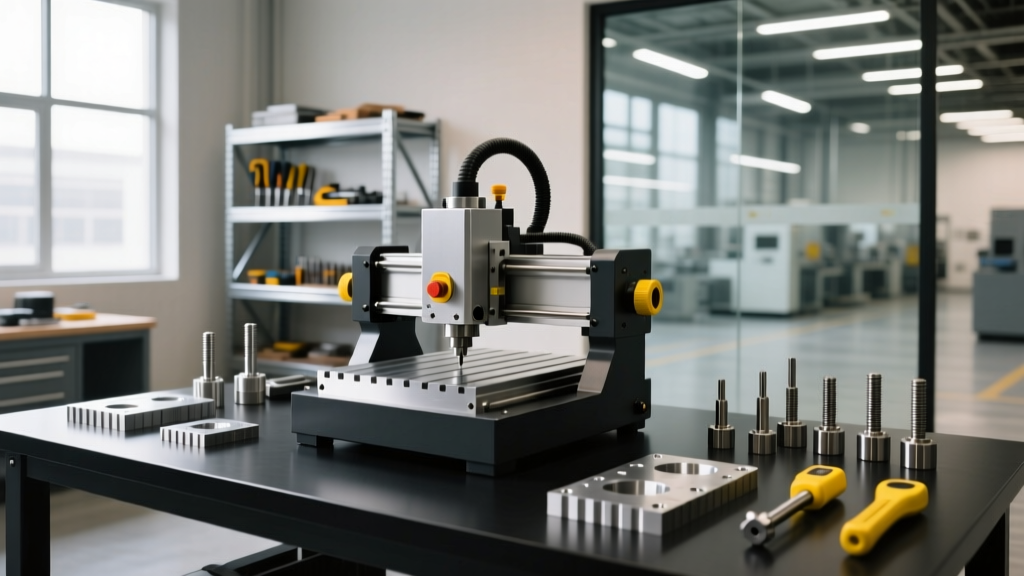
However, the underlying need—creating highly accurate, perfectly round, and precisely located holes in metal or dense plastics—is entirely achievable on a maker's budget. As of 2026, the desktop CNC market has matured to the point where entry-level CNC mills and heavy-duty CNC routers can execute precision boring operations, provided you understand the mechanical limitations of the spindle and the correct toolpath strategies.
This guide analyzes the best entry-level CNC alternatives for boring operations, comparing machine rigidity, spindle runout constraints, and the specific tooling required to achieve tolerances within ±0.001" without industrial-grade equipment.
Boring Methods on Entry-Level CNCs: Tooling vs. Toolpath
To achieve a bored hole on a desktop machine, you must choose between physical boring tooling and CNC toolpath interpolation. Your machine's spindle type dictates which method is viable.
Decision Framework: Which Boring Method to Use?- Use a Physical Boring Head/Bar if: Your machine has a rigid spindle (R8, TTS, or BT30), low runout (<0.0005"), and you are machining metals like steel or titanium where interpolation leaves poor surface finishes.
- Use Helical Interpolation (G2/G3) if: Your machine uses a belt-driven router spindle or ER11 collets with high runout, or if you are machining aluminum, plastics, or wood where toolpath finish is acceptable.
Physical Boring: Micro-Boring Bars and Boring Heads
Physical boring relies on a single-point cutting tool that is fed into a pre-drilled hole. On industrial machines, this is done with a massive boring head. On entry-level CNC mills, makers must use micro-boring bars (typically 1/4" to 3/8" shank) held in high-precision collets. According to Harvey Tool's technical resources, the primary enemy of micro-boring is spindle runout. If your ER11 collet has 0.0008" Total Indicator Runout (TIR), the boring bar will cut an oversize hole and chatter violently.
Helical Interpolation: The Router Maker's Boring Hack
Helical interpolation uses a standard endmill to cut a hole by moving in a circular toolpath while simultaneously descending in the Z-axis. Because the final hole diameter is dictated by the CNC controller's coordinate movements rather than the physical deflection of the tool, it completely bypasses the runout limitations of cheap ER collets and belt-driven router spindles.
Top Entry-Level CNC Alternatives for Boring Operations
Not all desktop machines are created equal when it comes to the Z-axis rigidity required for boring. Below is a comparison of the three most viable entry-level platforms for makers in 2026.
| Machine Model | Spindle / Collet | Max RPM | Boring Capability | Approx. Base Price (2026) |
|---|---|---|---|---|
| Tormach PCNC 440 | R8 / TTS | 5,000 | Excellent (Supports Criterion S-1-1/2 boring heads) | $5,500 |
| Bantam Tools Desktop Mill | ER11 | 15,000 | Good (Requires micro-boring bars or interpolation) | $3,999 |
| Shapeoko 5 Pro | Router (1/4" or ER11) | 24,000+ | Poor (Strictly limited to helical interpolation) | $2,300 |
Deep Dive: Tormach PCNC 440
The Tormach PCNC 440 remains the gold standard for prosumer and serious hobbyist machining. Its R8 spindle taper provides the necessary rigidity and repeatability for physical boring. Makers can mount a Criterion S-1-1/2 or an equivalent import micro-boring head directly into the R8 collet. The 440's cast-iron column and linear guideways absorb the radial cutting forces generated during boring, preventing the chatter that plagues lighter desktop mills.
Deep Dive: Bantam Tools Desktop CNC Milling Machine
The Bantam Tools Desktop Mill is highly capable for aluminum and brass, but its ER11 spindle presents a runout challenge for physical boring bars. To achieve ±0.001" tolerances on the Bantam, makers should abandon physical boring bars and rely entirely on helical interpolation using high-flute-count carbide endmills, or invest in premium Rego-Fix ER11 collets to minimize TIR below 0.0003".
Tooling Constraints: Collets, Runout, and Feeds
If you opt for physical boring on an entry-level mill, your tooling investment will dictate your success. Standard ER collets are designed for holding endmills, not precision boring bars.
Critical Warning: ER Collet RunoutA standard, off-brand ER16 collet can exhibit up to 0.0015" of runout at the tool tip. When using a 3/8" micro-boring bar with a 0.015" nose radius, this runout will cause the tool to cut an elliptical hole and snap the carbide insert. Always use precision-grade collets (like Techniks or Rego-Fix) and verify runout with a dial indicator before running a boring operation.
Speeds and Feeds for Micro-Boring in 6061-T6 Aluminum
Boring requires significantly slower feeds than milling to ensure a clean surface finish and prevent tool deflection. For a 1/4" solid carbide micro-boring bar machining 6061-T6 aluminum on a Tormach PCNC 440:
- Surface Speed (SFM): 800 - 1,000 SFM
- Spindle Speed: ~3,800 RPM
- Feed Rate: 0.002" to 0.004" per revolution (approx. 7.6 to 15 IPM)
- Depth of Cut (Radial): 0.005" to 0.010" maximum per pass
Helical Interpolation: G-Code and Toolpath Strategy
For makers using CNC routers like the Shapeoko 5 Pro or dealing with high-runout spindles, helical interpolation is the only viable boring alternative. This method uses G2 (clockwise) or G3 (counter-clockwise) circular interpolation commands combined with a Z-axis descent.
Calculating the Helical Stepdown
The Z-axis stepdown per revolution is critical. If the stepdown is too aggressive, the endmill will rub, work-harden aluminum, and break. A safe rule of thumb for helical boring in aluminum is a Z-stepdown of 0.5x to 1.0x the tool diameter per revolution.
; Example: Helical Bore using a 1/4" Endmill to create a 0.75" hole
; Start at center of hole, Z0.100 above material
G0 X0 Y0 Z0.100
; Plunge to Z0 (top of material)
G1 Z0 F10.0
; Begin Helical Interpolation (G3 = CCW)
; I and J define the center offset (0.25" radius for 0.5" diameter toolpath)
; Z-0.125 defines the Z-drop per full circle (0.5x tool diameter)
G3 X0 Y0 I0.25 J0 Z-0.125 F15.0
G3 X0 Y0 I0.25 J0 Z-0.250 F15.0
G3 X0 Y0 I0.25 J0 Z-0.375 F15.0
; Final spring pass at full depth to clean up walls
G3 X0 Y0 I0.25 J0 F15.0
Common Failure Modes in Desktop CNC Boring
When transitioning from standard milling to boring operations on entry-level machines, makers frequently encounter specific failure modes:
- Oversize Holes (Bell-mouthing): Caused by Z-axis gib looseness or spindle deflection. As the tool enters the cut, lateral forces push the spindle backward, cutting a wider hole at the top. Fix: Tighten Z-axis gibs and reduce the radial depth of cut to under 0.005".
- Chatter and Poor Surface Finish: Occurs when the boring bar overhangs too far from the collet. The maximum overhang for a carbide boring bar should not exceed 4x the shank diameter. For a 1/4" shank, maximum overhang is 1.0".
- Work Hardening (Stainless Steel): If the feed rate is too slow during interpolation or physical boring in 304 stainless, the tool rubs instead of cutting, instantly work-hardening the surface and destroying the carbide insert. Fix: Increase feed rate and ensure the tool is sharp.
Frequently Asked Questions
Can I use a CNC router to bore holes in steel?
No. Belt-driven CNC routers (like Shapeoko, X-Carve, or Onefinity) lack the Z-axis rigidity and low-end torque required to physically bore steel. While you can technically use helical interpolation with a solid carbide endmill to create holes in mild steel, the surface finish will be poor, and tool wear will be extreme. For steel boring, a rigid-bed mill like the Tormach or a used Bridgeport is mandatory.
Do I need a digital boring head for a desktop CNC?
Digital boring heads (like the Criterion DBL-200) are overkill for entry-level CNCs. The mechanical backlash and spindle runout of a desktop mill will negate the 0.0001" adjustment resolution of a digital head. A standard mechanical micro-boring head with a graduated dial is perfectly matched to the capability envelope of machines like the PCNC 440 or Bantam Mill.
What is the minimum hole diameter I can bore on a Bantam Mill?
Using a 1/8" shank micro-boring bar (such as those from Harvey Tool or Criterion), you can bore holes as small as 0.150" in diameter on the Bantam Mill. However, due to ER11 runout, achieving tight tolerances at this scale is difficult. For holes under 0.200", high-speed peck drilling with a micro-drill followed by a 1/8" reamer often yields better concentricity than boring on a desktop spindle.