Top Desktop CNC Machine Picks for Prototyping 2026
Compare the best desktop CNC machine models for 2026 prototyping. Expert analysis on rigidity, spindle specs, and ROI for in-house rapid manufacturing.
Outsourcing CNC prototypes to traditional machine shops introduces 2-to-4 week lead times and $250+ per-part costs for simple geometries. Bringing machining in-house with a desktop CNC machine eliminates these bottlenecks, allowing engineering teams to iterate physical prototypes in hours rather than weeks. Often searched in global procurement databases as cnc machina, the desktop CNC machine category has matured significantly, bridging the gap between hobbyist routers and industrial vertical machining centers (VMCs).
2026 ROI Snapshot: In-House vs. Outsourced Prototyping- Outsourced 6061-T6 Aluminum Bracket: $285 per part + 14-day lead time.
- In-House Desktop CNC (Bantam Pro): $12 material cost + 45 minutes machine time + $45 operator overhead.
- Break-even Point: 18 prototype iterations. By iteration 19, the desktop CNC machine is effectively free.
The Physics of Desktop Rigidity: Why Mass Matters
The single most critical specification in any desktop CNC machine is not spindle speed or software compatibility; it is structural rigidity. When cutting metals like aluminum, brass, or titanium, cutting forces generate harmonic vibrations (chatter). If the machine frame absorbs and dampens these forces, you achieve tight tolerances. If it flexes, you break endmills and ruin surface finishes.
Entry-level desktop CNC routers rely on aluminum extrusions (e.g., 2020 or 4040 T-slot profiles) and V-wheels. While sufficient for cutting wood, plastics, and PCBs, aluminum extrusions lack the mass and damping coefficient required for aggressive metal removal. According to research on advanced manufacturing dynamics published by NIST Advanced Manufacturing, precision prototyping requires minimizing tool deflection to under 0.001 inches to maintain dimensional accuracy in aerospace and medical components.
For metal prototyping, you must prioritize machines featuring:
- Precision-ground steel linear rails (e.g., Hiwin HGR series) instead of V-wheels.
- Ballscrews with anti-backlash nuts instead of Acme lead screws or timing belts.
- Cast iron or heavy-gauge welded steel bases to lower the center of gravity and absorb high-frequency spindle vibrations.
2026 Desktop CNC Machine Comparison Matrix
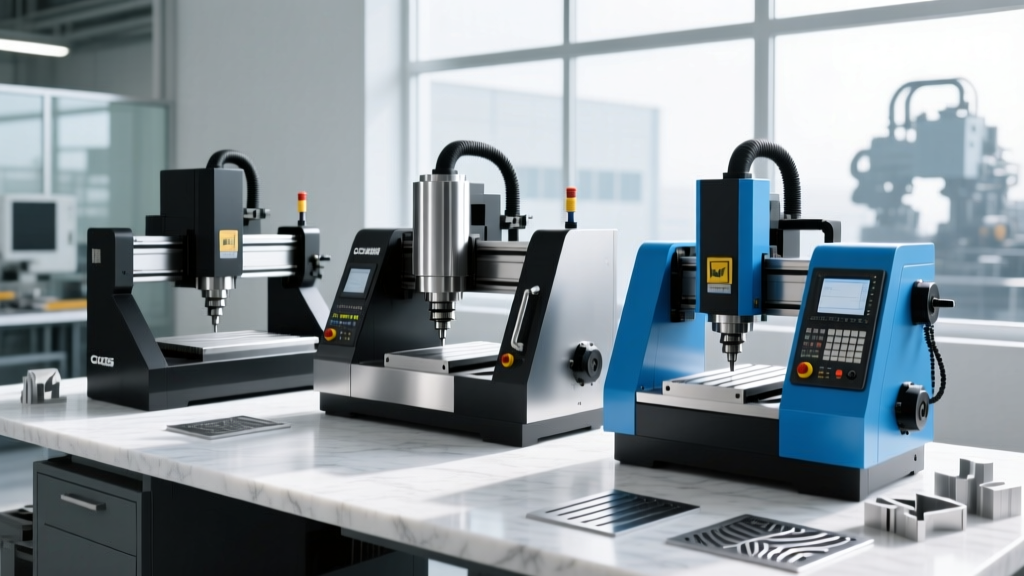
The market has consolidated around a few key players that deliver genuine industrial-grade prototyping capabilities on a benchtop footprint. Below is a technical comparison of the top models for 2026.
| Model | Axes | Spindle RPM & Power | Runout TIR | Work Envelope (X,Y,Z) | Price (2026) |
|---|---|---|---|---|---|
| Bantam Tools Pro | 3 | 20,000 RPM / 250W | < 0.0005 in. | 8.0 x 10.0 x 3.3 in. | $4,299 |
| Pocket NC V2-50 | 5 | 40,000 RPM / 120W | < 0.0003 in. | 4.5 x 5.0 x 3.5 in. | $5,500 |
| Inventables X-Carve Pro | 3 | 24,000 RPM / 800W | < 0.001 in. | 24.0 x 24.0 x 4.0 in. | $5,499 |
| Carbide 3D Shapeoko 5 Pro | 3 | 10,000 RPM / 65W | < 0.002 in. | 16.0 x 16.0 x 2.6 in. | $1,999 |
Application-Specific Selection Framework
Do not buy a machine based solely on its spec sheet; buy it based on your specific prototyping workflow. The Society of Manufacturing Engineers (SME) emphasizes that matching machine kinematics to material removal rates (MRR) is the primary driver of prototyping success.
Scenario A: Micro-Machining & PCB Prototyping
Recommended: Bantam Tools Desktop CNC Milling Machine (Professional Edition).
Why: PCB milling requires extreme precision at microscopic depths (e.g., 0.005-inch isolation tracks). The Bantam Pro utilizes high-precision ground steel ways and a specialized high-frequency spindle that maintains sub-half-thou runout. This prevents snapping 0.010-inch carbide V-bits during continuous 4-hour tracing operations. Its proprietary CAM software automatically handles probe-based Z-axis auto-leveling, which is mandatory for compensating for uneven copper clad boards.
Scenario B: Large-Format Aerospace Brackets & Enclosures
Recommended: Inventables X-Carve Pro.
Why: When prototyping UAV chassis or large aluminum heat sinks, work envelope dictates your choice. The X-Carve Pro offers a massive 24x24-inch bed backed by an 800W spindle. While its belt-driven architecture introduces slightly more runout than a ballscrew system, the sheer torque of the 800W spindle allows for aggressive roughing passes in 6061-T6 aluminum using a 1/2-inch roughing endmill, drastically reducing cycle times for large parts.
Scenario C: Complex 5-Axis Impellers & Turbine Blades
Recommended: Pocket NC V2-50.
Why: True 5-axis simultaneous machining is rare on a desktop. The V2-50 uses a tilting rotary table (A and B axes) paired with a 40,000 RPM spindle. This allows you to machine complex undercut geometries, such as impeller blades or multi-axis medical bone screws, in a single setup. Eliminating secondary setups reduces cumulative tolerance stacking, ensuring the final prototype matches the CAD model within 0.001 inches.
Real-World Cutting Parameters for 6061-T6 Aluminum
Many buyers purchase a desktop CNC machine and immediately break tooling because they apply industrial VMC feeds and speeds to a micro-machining environment. Desktop machines lack the horsepower for high axial depths of cut (ADOC). The strategy must shift to high-speed machining (HSM) with low ADOC and high radial engagement.
Baseline Recipe for 6061-T6 (Bantam Pro / X-Carve Pro):- Tool: 1/4-inch diameter, 3-flute carbide endmill (40° helix, ZrN coated).
- Spindle Speed: 12,000 RPM.
- Feed Rate: 25 IPM (Inches Per Minute).
- ADOC (Axial Depth): 0.050 in. (20% of tool diameter).
- RDOC (Radial Depth): 0.015 in. (6% of tool diameter) for finishing.
- Coolant: Mist coolant (air blast + micro-drop synthetic oil) to prevent chip welding.
Hidden Costs: Tooling, Workholding, and CAM
The purchase price of the desktop CNC machine is only the entry fee. Engineering managers must budget for the ecosystem required to actually produce parts.
- Collets and Toolholders: Most desktop machines use ER-11 or ER-20 collet systems. ER-11 maxes out at 1/4-inch shank tools, which limits your ability to use rigid roughing endmills. Budget $400 for a complete set of precision ER collets (e.g., from Maritool or Techniks) to ensure minimal TIR (Total Indicator Runout).
- Workholding: Standard T-slot tables are insufficient for high-volume prototyping. Invest in a modular fixture system like the Mitee-Bite or a precision ground 6-inch machinist vise with soft jaws. Budget $600 to $1,200 for workholding.
- CAM Software: While Fusion 360 remains the industry standard for desktop CNC programming, commercial licenses require an annual subscription. Alternatively, Bantam Tools includes its proprietary, highly optimized CAM software in the hardware purchase price, saving $500+ annually.
"The biggest mistake R&D labs make is buying a desktop CNC based on its X/Y travel and ignoring the Z-axis clearance. A 3-inch Z-axis sounds adequate until you account for the 2-inch length of your ER collet, the 1.5-inch stick-out of your endmill, and the 1-inch height of your vise. Suddenly, your maximum part height is limited to 0.5 inches. Always calculate your true usable Z-axis clearance before purchasing."
— Lead Manufacturing Engineer, Rapid Prototyping Lab
Frequently Asked Questions
Can a desktop CNC machine cut steel or titanium?
Yes, but with severe limitations. Machines like the Pocket NC and Bantam Pro can machine soft steels (like 1018) and titanium (Grade 2 or Ti-6Al-4V) using extremely conservative feeds, rigid carbide tooling, and flood or heavy mist coolant. However, cycle times will be 5x to 10x longer than on an industrial VMC, and tool wear will be significant. They are best reserved for small, intricate titanium medical prototypes rather than structural steel components.
How loud are desktop CNC machines in an office environment?
Cutting aluminum with a high-frequency spindle generates between 75 and 85 decibels (dB) of high-pitched noise. While not immediately dangerous, it is highly disruptive in an open-plan engineering office. You must budget for an acoustic enclosure or locate the machine in a dedicated lab space with sound-dampening acoustic foam panels.
What is the required maintenance schedule?
Desktop CNC machines require weekly maintenance to maintain prototyping tolerances. This includes wiping down linear rails and applying synthetic way oil (e.g., Mobil Vactra No. 2), checking belt tension on router-style machines, and blowing out the spindle taper with compressed air to prevent dust-induced runout. Neglecting rail lubrication will cause premature wear and result in axis backlash within 6 months of heavy use.