Analyzing CNC Machine Pictures: Entry-Level Hobbyist Guide
Learn how to analyze CNC machine pictures to compare entry-level hobbyist routers. Spot frame rigidity, Z-axis flaws, and linear rail upgrades before buying.
The Visual Diagnostics of Entry-Level CNC Routers
When investing $1,500 to $3,000 in an entry-level CNC router, marketing copy and spec sheets only tell half the story. The other half is hidden in plain sight. By critically analyzing cnc machine pictures—specifically user-generated teardowns, close-up forum photos, and unboxing images—makers can identify structural compromises and mechanical advantages that manufacturers often gloss over. As of 2026, the hobbyist CNC market has matured significantly, with hybrid motion systems and heavy-duty extrusions becoming standard. However, budget models still cut corners in ways that are immediately visible if you know what to look for.
The "Zoom-In" Rule: Never base a purchasing decision on wide-angle marketing renders. Renders are designed to hide cable clutter, exaggerate spindle clearance, and mask thin Z-axis plates. Always seek out macro-level cnc machine pictures from actual owners on platforms like the Carbide 3D forums or Reddit’s r/hobbycnc.Decoding the Frame: Extrusion Profiles and Rigidity
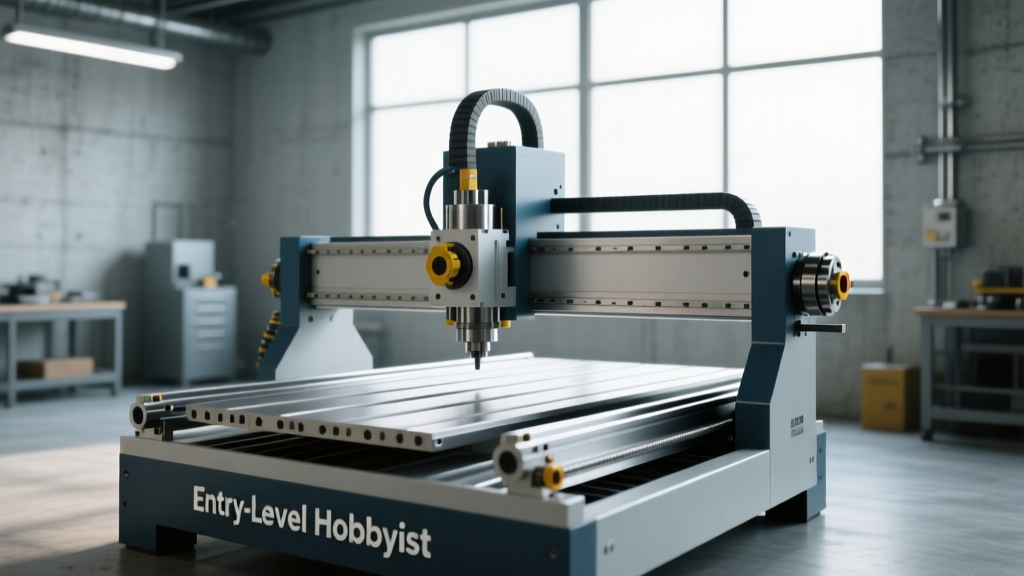
The foundation of any CNC machine is its frame. In the sub-$2,500 tier, aluminum extrusion is the universal standard. However, not all extrusions are created equal. When examining photos of the machine's base and gantry, pay close attention to the profile dimensions and the depth of the T-slots.
Spotting the Profile Size in Photos
- 2020 / 2040 Profiles (Budget Tier): Often found on machines under $1,000. In pictures, these look relatively narrow. They are prone to harmonic vibration (chatter) when routing hardwoods or attempting light aluminum passes.
- 4040 / 4080 Profiles (Mid-Tier Standard): The hallmark of a serious hobbyist machine. These extrusions appear noticeably bulkier in photos. The wider the base footprint and the thicker the Y-axis rails, the higher the machine's resistance to torsional twisting.
- Steel Tube Weldments (Premium/Prosumer): Machines like the Onefinity Foreman utilize heavy steel tubing. In pictures, this looks like a solid, painted or powder-coated industrial base rather than slotted aluminum.
"Rigidity is the currency of CNC machining. Every micron of flex in the frame translates directly to poor surface finish and broken endmills." — CNCCookbook Manufacturing Principles
Motion Systems: V-Wheels vs. Linear Rails
The most critical visual tell in cnc machine pictures is the motion system. This dictates your machine's accuracy, maintenance schedule, and load capacity.
Visual Identification Guide
Delrin V-Wheels: These appear as small, black or grey polyurethane wheels riding inside the V-shaped grooves of the aluminum extrusion. They are quiet and inexpensive but require constant eccentric nut adjustments to prevent backlash. If a machine's pictures show V-wheels on all three axes (X, Y, and Z), it is an older or budget-oriented design.
Linear Guide Rails: These appear as hardened steel tracks bolted to the aluminum, with recirculating ball-bearing carriages. They look distinctly industrial. In 2026, the best entry-level machines use a hybrid approach: linear rails on the Y-axis (where the most cutting forces occur) and V-wheels on the X and Z axes to keep costs down.
2026 Entry-Level Model Comparison Matrix
Below is a comparison of three dominant entry-level machines, highlighting what visual evidence in their product and user photos reveals about their actual capabilities.
| Model (2026) | Price Range | Motion System (Visual Tell) | Z-Axis Design | Best For |
|---|---|---|---|---|
| Shapeoko 5 (Carbide 3D) | $1,799 - $2,399 | Hybrid: Linear rails (Y), V-wheels (X/Z). Look for the steel rails on the side rails in photos. | Machined aluminum plate with dual V-wheel support. | General woodworking, sign making, and light aluminum. |
| X-Carve (Inventables) | $1,299 - $1,899 | Traditional: V-wheels on all axes. Pictures show black wheels riding directly in the extrusion slots. | Stamped aluminum bracket (visually thinner in side-profile photos). | Beginners, educational makerspaces, basic 2.5D routing. |
| Onefinity Woodworker | $2,099 - $2,399 | Ball Screws (X/Y). Pictures show thick, cylindrical threaded rods rather than belts. | Heavy-duty linear rail Z-axis with thick steel mounting block. | Heavy 3D carving, production runs, and aggressive feed rates. |
The Z-Axis: Where Entry-Level Machines Fail
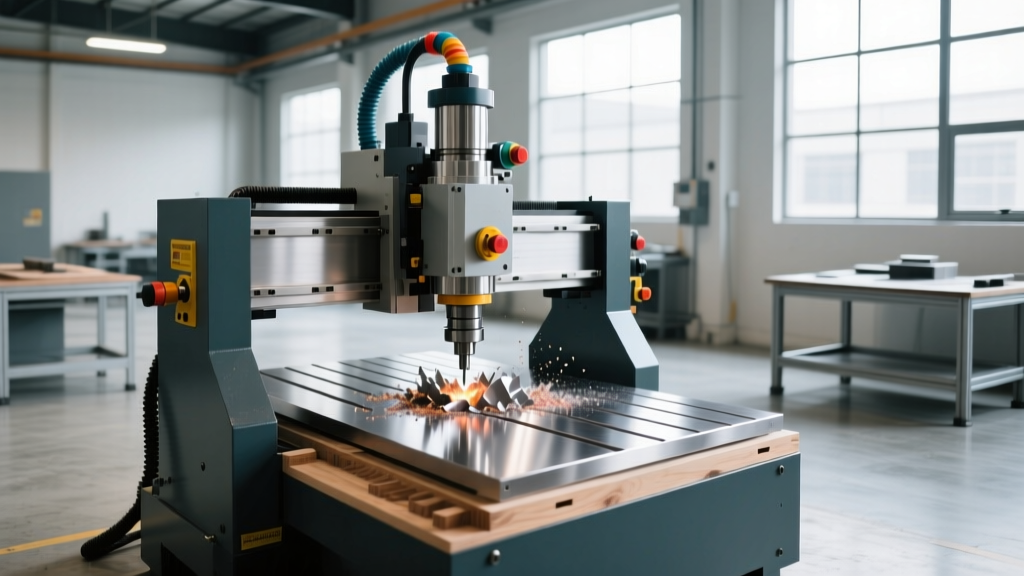
The Z-axis is the most abused component on a hobbyist CNC. When evaluating cnc machine pictures, zoom in on the spindle mount.
Red Flag Alert: If the spindle mount in the photo looks like a thin, folded sheet of metal, or if there is a massive gap between the bottom of the mount and the collet nut, expect severe Z-axis deflection. A proper Z-axis requires a thick, pocketed aluminum block that hugs the spindle body to minimize the moment arm during lateral cutting forces.Furthermore, look at the stepper motor mounted on top of the Z-axis. Most entry-level machines use NEMA 23 stepper motors (identifiable by their ~57mm width). If you see a larger, bulkier motor (NEMA 34, ~86mm wide), the machine is designed to handle heavier Z-loads and larger diameter tooling without skipping steps.
Cable Management and Electronics
While not directly related to cutting physics, cable management in product photos is a massive indicator of overall engineering quality.
- Drag Chains: Look for articulated plastic drag chains guiding the stepper motor wires and spindle power cables. This prevents wire fatigue and catastrophic short circuits.
- Loose Zip-Ties: If cnc machine pictures show cables bundled loosely with zip-ties or hanging freely near the cutting area, the manufacturer has skipped a vital engineering step. This leads to premature wire failure and safety hazards.
- Controller Enclosures: Check if the stepper drivers and control board are housed in a sealed, fan-cooled metal box. Open-air controllers mounted directly to the gantry are highly susceptible to conductive dust (especially MDF and carbon fiber), which will eventually short the mainboard.
Decision Framework: Choosing Based on Visual Evidence
Use this framework to match the visual evidence from your research to your specific maker profile:
1. The Weekend Woodworker
Goal: Cutting plywood, MDF, and hardwoods for furniture and signs.
Visual Priority: Look for a large working area (e.g., 4x4 or 4x8 beds). V-wheels are acceptable here since wood cutting forces are relatively low. Prioritize machines with pictures showing integrated T-track wasteboards for easy workholding.
2. The PCB and Precision Tinkerer
Goal: Isolation routing copper clad boards, drilling micro-holes, and machining brass.
Visual Priority: Look for linear rails on all axes and a low-clearance Z-axis. You need machines where the pictures show minimal distance between the collet and the Z-axis carriage to eliminate micro-vibrations.
3. The Aluminum Hobbyist
Goal: Machining 6061 aluminum for brackets, enclosures, and automotive parts.
Visual Priority: Ignore machines with thin 2040 extrusions. Look for cnc machine pictures showing massive 4080 bases, steel-reinforced gantries, and ball-screw or heavy-duty belt drives (like 15mm GT2 belts). The spindle mount must be a solid block of machined aluminum.
Final Thoughts on Visual Verification
Buying a CNC router is an exercise in applied physics. By shifting your focus from marketing claims to a forensic analysis of cnc machine pictures, you can accurately predict a machine's real-world performance. Pay attention to the extrusion profiles, scrutinize the Z-axis mounting blocks, and verify the motion systems. The images never lie, even when the spec sheets try to.
Sources and Further Reading:
Carbide 3D: Shapeoko 5 Specifications and Design
Inventables: X-Carve Hobbyist CNC Router
Onefinity CNC: Ball-Screw Driven Router Systems