Wood CNC Machine for Beginners: 2026 Cost & Budget Guide
Discover the true cost of a wood CNC machine for beginners in 2026. We break down hardware, tooling, software, and hidden expenses to build your budget.
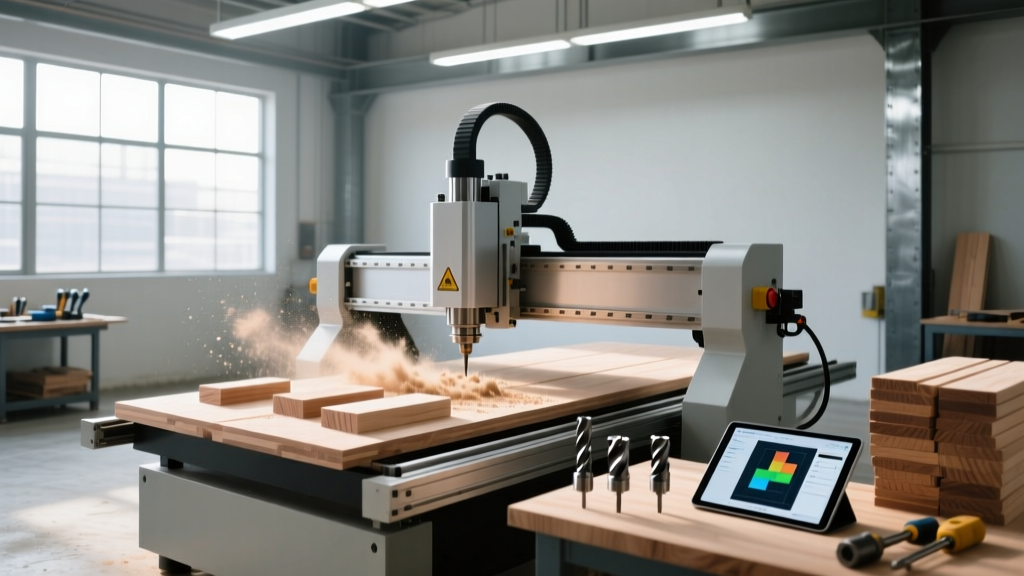
Purchasing a wood CNC machine for beginners involves significantly more than the sticker price on the router itself. A $1,800 machine easily becomes a $3,500 investment once you factor in rigid workholding, carbide tooling, dust extraction, and CAD/CAM software. Budgeting accurately prevents the common pitfall of buying a capable machine but lacking the funds to properly secure materials or cut them efficiently.
The 3-Tier Budget Framework
- Tier 1: Desktop Hobbyist ($300 - $800) – Small format (300x180mm), belt-driven, 775-style spindles. Best for learning G-code and cutting thin basswood or acrylic.
- Tier 2: Serious Maker / Side-Hustle ($1,800 - $2,800) – Mid-size (16x16 to 48x48), rigid aluminum extrusions, compact trim routers or 1.5kW VFD spindles. The sweet spot for custom woodworking.
- Tier 3: Pro-sumer Production ($3,500 - $7,000+) – Large format, ball-screw driven, 3HP+ spindles, ATC (Automatic Tool Changer) capable. Required for daily commercial output.
Base Machine Costs: Hardware Breakdown
The entry-level market is saturated with generic 3018 desktop routers priced around $250. While adequate for basic engraving, their lack of rigidity and weak spindles make them unsuitable for serious woodworking. For a genuine wood CNC machine for beginners that can produce furniture parts, signage, and cabinetry, you must look at the Tier 2 market.
Leading Tier 2 Contenders (2026 Pricing)
The Shapeoko 5 by Carbide 3D remains a benchmark for belt-driven reliability, starting at $1,799 for the standard 16x16 model and scaling to $2,299 for the XL. It pairs seamlessly with a Makita compact router or their proprietary spindle, offering excellent community support and ecosystem integration.
Alternatively, the Onefinity Woodworker X-50 (48x48 working area) retails for approximately $2,099. Its primary advantage over belt-driven competitors is the use of ball screws on the X and Y axes, which eliminates belt stretch and provides superior holding power during heavy 3D carving in hardwoods like maple or walnut.
The Hidden Costs: Tooling, Hold-Down, and Dust
Beginners frequently allocate 90% of their budget to the machine and 10% to accessories. The optimal ratio is closer to 70/30. Tooling and workholding dictate your cut quality and cycle times.
| Item Category | Specific Recommendation | Est. Cost | Lifespan / Notes |
|---|---|---|---|
| 1/4" Upcut End Mill | Solid Carbide (e.g., Onsrud 63-018) | $35 - $45 | 40-60 hours in MDF; 15-20 hours in abrasive MDO. |
| 60° V-Bit | Carbide Tipped (for sign making) | $18 - $25 | Highly durable; lasts months if feeds/speeds are correct. |
| Sacrificial Spoilboard | 3/4" MDF (TruTemp moisture resistant) | $45 - $60 | Requires resurfacing every 3-6 months depending on use. |
| Workholding Clamps | Low-profile toggle clamps & T-track | $80 - $120 | One-time purchase; essential to prevent material ejection. |
| Dust Extraction | 1.5HP - 2HP Canopy Dust Collector | $250 - $400 | Critical: Fine MDF dust destroys linear bearings and lungs. |
CAD/CAM Software Licensing
Hardware is useless without the software to generate toolpaths. While free options exist, commercial software drastically reduces setup time and offers advanced 3D toolpath strategies.
- Free / Included: Carbide Create (tied to Shapeoko) and Easel (Inventables) are excellent for basic 2.5D profiling and pocketing. Fusion 360 is free for personal use but has a steep learning curve for dedicated routing.
- Paid Standard: VCarve Desktop by Vectric ($349) is the industry standard for woodworkers. It excels at V-carving sign making and nesting parts to minimize material waste.
- Paid Pro: VCarve Pro ($699) is only necessary if you need to utilize an Automatic Tool Changer (ATC) or operate a machine with a working envelope larger than 24x24 inches.
Operational Costs & Bit Wear Economics
According to tooling analysis from CNC Cookbook, improper feeds and speeds are the primary cause of premature bit death. A $40 solid carbide upcut bit can burn out its cutting edge in 15 minutes if the chip load is too low (causing heat buildup) or snap instantly if the chip load is too high in hardwoods.
Warning: The Chip Load TrapBeginners often run their CNC routers too slowly and with too high a spindle RPM, treating the router like a hand-held trim router. CNC routing requires aggressive feed rates to evacuate chips. If your bit is screaming and producing fine powder instead of distinct wood chips, you are burning the bit and work-hardening the material. Calculate your chip load based on the manufacturer's exact specifications.
Decision Matrix: Allocating Your Budget
Use this framework to determine where to deploy capital based on your intended weekly run-time.
Hobbyist (< 5 hrs/week)
- Machine: Shapeoko 5 Standard ($1,799)
- Software: Carbide Create (Free)
- Dust: Shop-Vac with fine dust bag ($120)
- Tooling: $100 starter set
- Total: ~$2,019
Side-Hustle (10-20 hrs/week)
- Machine: Onefinity X-50 ($2,099)
- Software: VCarve Desktop ($349)
- Dust: 2HP Extractor + Cyclone ($450)
- Tooling: $300 premium carbide
- Total: ~$3,198
The ROI of Rigidity and Speed
When evaluating the cost of a wood CNC machine for beginners, time is a hidden currency. A belt-driven machine cutting a 3D relief carving in hard maple might take 14 hours. A ball-screw driven machine with a 1.5kW water-cooled spindle can execute the same toolpath in 6 hours due to its ability to maintain deeper depth-of-cut (DOC) passes without deflecting.
"Depreciation on Tier 2 CNC routers is relatively low. A well-maintained Shapeoko or Onefinity retains roughly 65% to 75% of its retail value on the secondary market. This makes the initial capital outlay less risky than purchasing entry-level 3018 machines, which are virtually worthless once unboxed."
Final Budgeting Checklist
- Reserve 20% of your total budget for unexpected consumables (spare collets, replacement belts, surfacing bits).
- Do not skimp on the sacrificial spoilboard. A warped MDF bed will ruin your Z-axis accuracy and cause inconsistent engraving depths.
- Invest in a digital caliper ($25) and a dial indicator ($40) to tram your spindle and ensure it is perfectly perpendicular to the wasteboard.
By front-loading the costs of software, dust collection, and premium tooling, you transform a simple wood CNC machine for beginners into a reliable, production-capable asset that pays for itself through material efficiency and reduced cycle times.