DRO Readout Calibration: Using a Washing Machine Diagnostic Tool
Learn how to calibrate industrial parts washer DRO readouts and PLC controls using a washing machine diagnostic tool for optimal maintenance schedules.
Architecture of Industrial Washer Control Systems
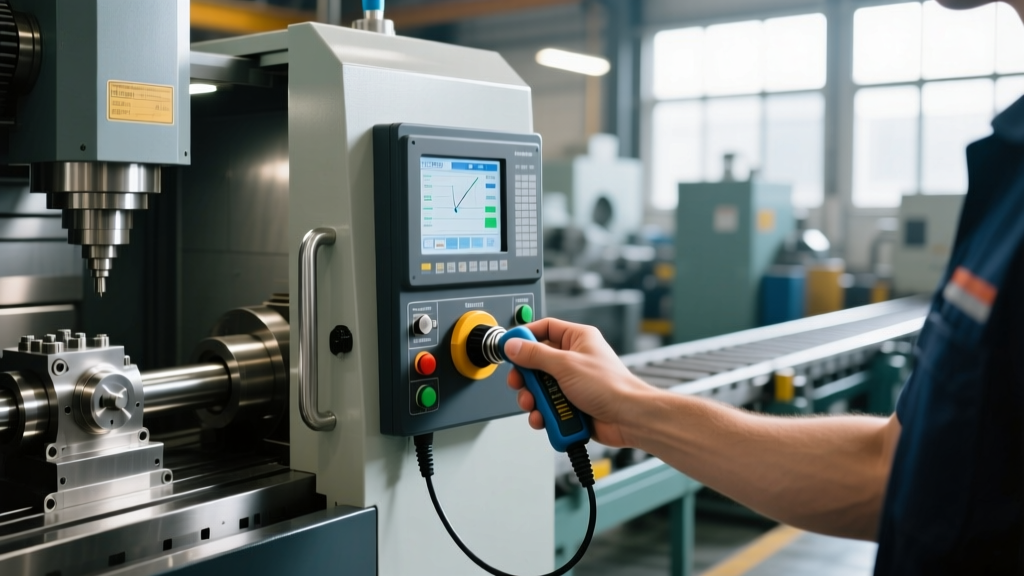
In modern CNC machine shops, industrial aqueous parts washers are critical auxiliary equipment. Unlike manual milling machines equipped with physical glass-scale Digital Read Outs (DROs), industrial washing machines utilize HMI (Human-Machine Interface) touchscreens paired with PLCs to display DRO-style readouts for temperature, chamber pressure, and turntable RPM. These digital readouts are software-scaled representations of analog sensor inputs. As of 2026, systems like the Allen-Bradley PanelView 800 or Siemens WinCC panels are standard, relying on underlying PLC logic to translate raw electrical signals into actionable operator data.
When these readouts drift, operators risk washing precision-machined components at incorrect temperatures, leading to thermal shock or inadequate coolant removal. Maintaining the accuracy of these DRO readouts requires a strict service schedule and specialized software interfaces.
Why DRO Readouts Drift and Require Calibration
Digital readouts on industrial parts washers do not drift because of the HMI screen itself, but due to degradation in the sensor loop and signal conditioning hardware. The primary culprits include:
- 4-20mA Loop Interference: Electromagnetic interference (EMI) from adjacent CNC spindle drives or VFDs can induce noise in unshielded analog cables, causing the PLC to register fluctuating pressure or temperature values.
- RTD Sensor Degradation: PT100 Resistance Temperature Detectors exposed to harsh alkaline detergents and high-velocity spray can suffer from sheath corrosion, altering their resistance curve and skewing the DRO temperature readout.
- Transducer Zero-Shift: Piezoresistive pressure transducers monitoring the wash chamber can experience mechanical zero-shift due to repeated hydraulic shock (water hammer) when solenoid valves snap shut.
Deploying the Washing Machine Diagnostic Tool
To accurately calibrate these systems, technicians cannot rely solely on the HMI display. You must bypass the scaled HMI values to view raw Analog-to-Digital (A/D) counts. This is where a specialized washing machine diagnostic tool becomes mandatory. OEMs like Ransohoff or Better Engineering typically supply this diagnostic suite—a proprietary software package paired with an Ethernet or RS-232 communication dongle.
⚠️ WARNING: Ground Loops and Diagnostic ConnectionsWhen connecting a laptop-based washing machine diagnostic tool to a washer's PLC via hardwired Ethernet, ensure both the laptop and the machine control cabinet share a common ground potential. Ground loops can introduce 50/60Hz noise into the PLC backplane, temporarily scrambling DRO readouts during the diagnostic session.
By interfacing directly with the PLC (such as a Siemens S7-1200 or Allen-Bradley CompactLogix), the diagnostic tool allows the technician to monitor the raw input registers (e.g., I:0.0) while injecting known reference signals, completely isolating the fault to either the sensor, the wiring, or the PLC scaling logic.
Preventive Maintenance & Calibration Schedule
Integrating DRO calibration into your facility's preventive maintenance (PM) software ensures readouts remain within ±1.5°F for temperature and ±0.5 PSI for pressure. Below is the recommended service matrix for industrial washer control cabinets.
| Interval | Component Target | Action Required | Tooling Needed |
|---|---|---|---|
| Monthly | HMI Touchscreen & Bezel | Clean optical bezel; verify touch registration on DRO input fields. | Isopropyl alcohol, microfiber |
| Quarterly | Temperature DRO (RTD Loop) | Inject reference resistance; verify PLC scaling matches HMI readout. | Fluke 725 Documenting Calibrator, Diagnostic Tool |
| Bi-Annual | Pressure DRO (4-20mA Loop) | Zero-span adjustment; check for water hammer zero-shift. | Fluke 789 ProcessMeter, OEM Diagnostic Software |
| Annual | PLC Battery & NVRAM | Replace PLC battery; back up HMI and PLC logic via diagnostic tool. | Lithium backup cell, Ethernet cable |
Step-by-Step DRO Calibration Procedure
When the quarterly audit reveals a discrepancy between a physical reference thermometer and the HMI temperature DRO, follow this precise calibration workflow using the diagnostic software.
- Isolate and Lockout: Place the washer in E-Stop. Ensure the heating elements are disabled to prevent thermal runaway during testing.
- Establish Communication: Connect the washing machine diagnostic tool to the PLC's service port. Launch the OEM software and navigate to the 'Analog I/O Force & Monitor' tab.
- Inject Reference Signal: Disconnect the PT100 RTD sensor at the cabinet terminal block. Connect a decade resistance box or a Fluke calibrator set to output 109.71 Ohms (equivalent to 25°C / 77°F for a PT100).
- Monitor Raw A/D Counts: Observe the raw integer value in the diagnostic tool. For a 14-bit Siemens analog input, 25°C should yield a specific normalized value via the NORM_X instruction.
- Adjust Scaling Parameters: If the HMI DRO reads 28°C instead of 25°C, open the PLC logic block containing the SCALE_X function. Adjust the upper and lower limit parameters (HI_LIM and LO_LIM) until the diagnostic tool's monitored tag perfectly matches the injected reference.
- Download and Verify: Push the modified logic to the PLC, clear the E-Stop, and verify the HMI DRO readout stabilizes at the injected reference value.
Expert Insight: Never adjust the physical trim pot on an analog input card to fix a DRO readout error. This alters the baseline for all channels on that card. Always use the washing machine diagnostic tool to adjust the software scaling parameters (SCP/SCA in Rockwell, NORM_X/SCALE_X in Siemens) within the PLC logic.
Troubleshooting HMI and PLC Communication Faults
Sometimes the DRO readout does not drift; it fails entirely, displaying '###' or 'FAULT'. This indicates a loss of communication between the PLC and the HMI, or an under-range/over-range analog fault.
Diagnosing Under-Range Faults
If the diagnostic tool shows the analog input register reading below 0 (or below 4mA on a 4-20mA loop), the PLC automatically forces the HMI DRO to a fault state. This is almost always a broken wire in the sensor loop or a failed transmitter power supply. Use a multimeter to check for 24VDC at the sensor header. If voltage is present but the diagnostic tool still reads 0mA, the transducer internal circuitry has failed and requires replacement.
Resolving OPC-UA Timeout Errors
In 2026, most modern washer HMIs communicate with the PLC via OPC-UA or EtherNet/IP rather than legacy serial protocols. If the DRO readouts freeze while the machine continues its physical cycle, the network switch inside the NEMA 4X control cabinet may be suffering from thermal throttling. Verify the cabinet cooling fan and replace the managed switch if port latency exceeds 50ms in the diagnostic tool's network ping utility.
Frequently Asked Questions
Can I use a standard multimeter instead of a diagnostic tool to calibrate the DRO?
A multimeter can verify the physical sensor output, but it cannot adjust the PLC's internal scaling math. The washing machine diagnostic tool is required to view the exact A/D conversion integers and modify the scaling limits in the PLC memory to correct the HMI display.
How often should I replace the HMI touchscreen overlay?
Industrial washers operate in high-humidity, caustic environments. Even with IP67-rated seals, the resistive or capacitive touch overlay degrades. Expect to replace the HMI bezel and touch digitizer every 3 to 5 years, or when touch registration requires excessive physical force, which can lead to cracked LCD substrates.
What happens if the PLC battery dies?
If the PLC relies on volatile RAM for its logic and the battery dies during a power outage, the machine will lose its program, including all custom DRO scaling parameters. Modern systems use non-volatile flash memory, but the real-time clock and retentive recipe data will still be lost, requiring a full restore via the diagnostic software backup.