2026 Desktop Prototyping Guide for Your CNC Machine Furniture Shop
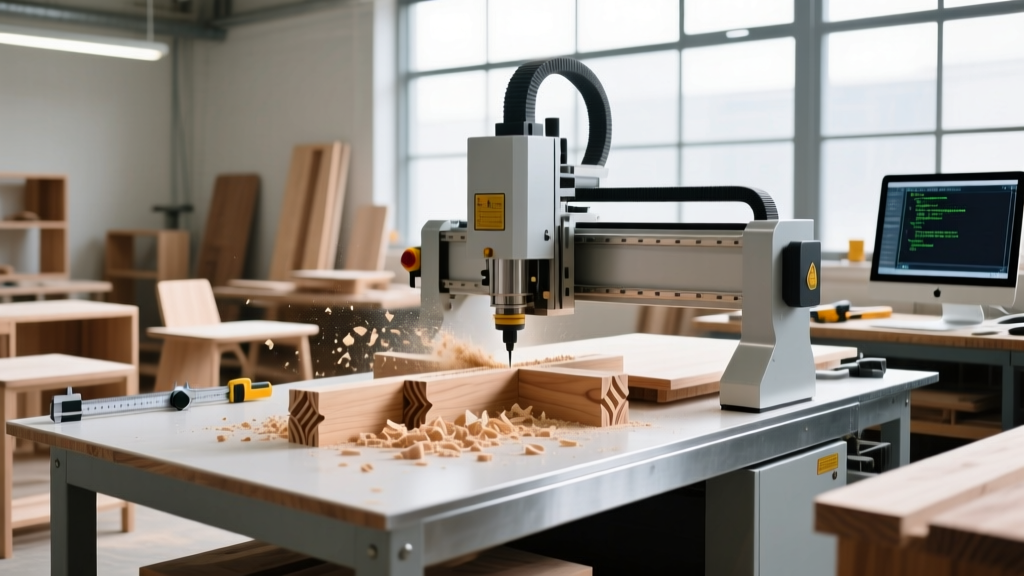
Use a desktop CNC for furniture prototyping before scaling to a 4x8 CNC machine furniture setup. Test joints, save hardwood, and optimize toolpaths.
The Prototyping Gap: Why Desktop Matters Before 4x8 Cuts
Transitioning from traditional woodworking to automated production often involves a massive capital leap. Before committing $15,000 to $40,000 on a 4x8 or 5x10 CNC machine furniture router, smart fabricators use desktop CNC machines to prototype joinery, test toolpaths, and refine fixturing. A full-sheet production router is unforgiving; a single miscalculated Z-axis depth or incorrect feed rate on a $250 sheet of prefinished walnut plywood results in expensive scrap. Desktop CNC routers bridge this gap, offering a low-risk environment to validate complex furniture joints like blind mortises, finger joints, and interlocking dog-bone fillets before scaling up to full production.
Warning: Tool Deflection ScalingDo not assume a 1/4-inch endmill behaves identically on a desktop rig and a 3-horsepower production spindle. When prototyping furniture joints on a desktop machine using a trim router (like the Makita RT0701C), you must reduce feed rates by 15-20% compared to your target production speeds to account for lower torque and higher deflection. Failing to adjust for this will result in oversized mortises and loose joints when you move to the heavier production machine.
2026 Desktop CNC Lineup for Furniture Joinery
Not all desktop machines can handle the rigors of hardwood furniture prototyping. You need a machine with high rigidity, sufficient Z-axis travel for thick stock, and compatibility with dust collection. Below is a comparison of the top desktop CNC routers optimized for furniture makers in 2026.
| Machine Model | Work Area | Spindle / Router | Z-Axis Travel | 2026 Base Price | Best For |
|---|---|---|---|---|---|
| Sienci LongMill MK2 (48x30) | 48" x 30" | Makita RT0701C (Trim) | 4.5" | $2,399 | Large chair/leg prototyping |
| Carbide 3D Shapeoko 5X | 16" x 16" to 32" x 32" | Carbide Compact Router | 4.0" | $2,200 (XL) | Small cabinet joinery & inlays |
| Onefinity Foreman | 48" x 48" | 2.2kW VFD Spindle | 6.25" | $3,799 | Thick slab flattening & heavy joints |
| Inventables X-Carve Pro | 48" x 48" | 2.2kW Spindle | 4.0" | $4,499 | Production-grade desktop reliability |
Deep Dive: Sienci LongMill MK2 vs. Onefinity Foreman
For furniture makers, the choice often narrows down to the Sienci LongMill MK2 and the Onefinity Foreman. The LongMill utilizes a belt-driven system with NEMA 23 motors. It is highly cost-effective and excellent for cutting MDF and Baltic Birch prototypes. However, if your prototyping involves deep pocketing in 8/4 hard maple or white oak, the Onefinity Foreman’s ball-screw drive system and 2.2kW water-cooled spindle provide the necessary torque to maintain strict tolerances (within 0.002 inches) without stalling or losing steps.
The 3-Stage Furniture Prototyping Workflow
To maximize material savings and joint integrity, follow this sequential prototyping workflow using techniques endorsed by master woodworkers.
Stage 1: 1:4 Scale Modeling (MDF)
Cut your entire furniture assembly at a 25% scale using 1/4-inch MDF. This stage is strictly for verifying the CAD geometry, ensuring dog-bone fillets are placed correctly for inside corners, and checking that all interlocking tabs align in 3D space. Use a 1/8-inch single-flute upcut bit. Total material cost for this stage: under $5.
Stage 2: Half-Scale Structural Testing (Baltic Birch)
Scale the model up to 50% using 1/2-inch Baltic Birch plywood. This tests the structural logic of the joints. Plywood introduces cross-grain resistance that MDF lacks. Pay close attention to holding tabs; if a joint requires excessive sanding to remove tabs, redesign the toolpath to use zero-clearance tabs or ramp-in entry points. Use a 1/4-inch downcut bit (such as the Whiteside 1/4" Downcut #D-1400) to prevent top-surface tear-out on the veneer.
Stage 3: Full-Scale Critical Joint (Target Hardwood)
Do not cut the entire full-scale piece yet. Isolate the most complex joint (e.g., a compound-angled mortise and tenon on a chair leg) and cut it 1:1 scale in your actual target hardwood. This validates your feeds, speeds, and tool deflection in the final material. For 3/4-inch prefinished maple plywood, a 1/4-inch compression bit running at 16,000 RPM and 120 IPM (inches per minute) with a 0.25-inch depth of cut is the 2026 industry standard for clean edges on both sides.
"The biggest mistake makers make when scaling from a desktop CNC to a commercial CNC machine furniture router is ignoring the holding power of the vacuum table. On a desktop, you use mechanical clamps. On a 4x8 production rig, if your spoilboard isn't surfaced perfectly flat or your MDF is moisture-compromised, your workpiece will shift and ruin a $400 sheet of lumber."
— Production CNC Technician, Make: Magazine Woodworking Forums
Calculating ROI: Desktop Prototyping vs. Production Scrap
Why invest time in a desktop rig instead of just testing directly on the big machine? The math heavily favors desktop prototyping when dealing with premium hardwoods and sheet goods.
Material Cost Breakdown (2026 Estimates):- 4x8 Sheet 3/4" Prefinished Walnut Plywood: $380 - $450
- 4x8 Sheet 3/4" MDF (Prototyping): $45 - $60
- Cost of a single misaligned Z-axis plunge on Walnut: $380+
- Desktop CNC ROI: A $2,400 desktop machine pays for itself after preventing just 6 ruined sheets of premium plywood.
Furthermore, desktop machines allow you to iterate on CAM software (like Vectric VCarve Pro or Fusion 360) without tying up your primary production asset. Machine downtime on a commercial CNC machine furniture setup costs roughly $60 to $120 per hour in lost shop revenue. Prototyping offline on a desktop rig preserves your production schedule.
Upgrading: When to Transition to a Production Setup
A desktop CNC is a prototyping and small-batch tool. You should begin shopping for a full-scale 4x8 CNC machine furniture router (such as a ShopBot Buddy, Camaster, or Axiom Precision AR8) when you hit these three triggers:
- Sheet Goods Processing: You are manually breaking down 4x8 sheets on a table saw before loading them onto your desktop machine, adding more than 30 minutes of labor per sheet.
- Throughput Bottlenecks: Your desktop machine's cutting time for a single cabinet run exceeds 4 hours, and you are turning away client orders due to lead times.
- Tooling Limitations: You require 1/2-inch shank tooling for large 3D surfacing bits or heavy-duty compression bits that exceed the collet capacity of desktop trim routers.
Frequently Asked Questions
Can I use the exact same G-code on my desktop and my 4x8 production CNC?
No. While the XY coordinates and geometry will remain identical if your stock dimensions match, you must adjust the feed rates, spindle RPM, and depth-per-pass. Production CNC machines with 3HP+ spindles and rigid steel gantries can remove material 2x to 3x faster than a belt-driven desktop CNC. Always run a conservative air-cut or shallow test pass when transferring G-code between machines.
What is the best software for prototyping furniture joints?
For 2.5D joinery (finger joints, dados, mortises), Vectric VCarve Pro remains the most efficient toolpath generator due to its dedicated nesting and joint-creation gadgets. For complex 3D organic shapes (like sculpted chair seats or ergonomic armrests), Autodesk Fusion 360 with a 5-axis post-processor is required, though it has a steeper learning curve.
How do I handle dust collection on a desktop CNC?
Furniture prototyping generates fine MDF and hardwood dust that is hazardous to breathe and can ruin linear rails. Do not rely on a standard shop vac. Invest in a dedicated dust extractor with a minimum 600 CFM rating and a HEPA filter, such as the Festool CT MIDI or the Oneida Smart Dust Deputy cyclone setup, paired with a well-designed CNC dust shoe (like the Sienci Dust Shield) that maintains less than 1/8-inch clearance from the workpiece.