What Does a CNC Machine Do? Mastering Controller Interfaces
Discover what a CNC machine does at the controller level. Master Fanuc, Haas, and Siemens interfaces with expert operator training best practices.
Beyond the Basics: What Does a CNC Machine Do at the Controller Level?
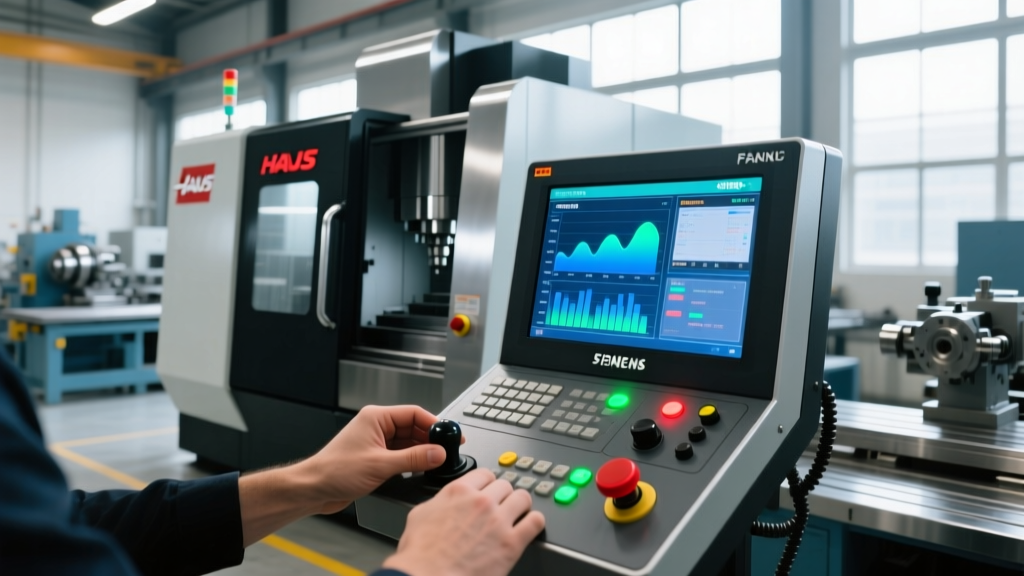
When a novice asks, 'what does a CNC machine do?', the standard textbook answer is that it automates the removal or addition of material via pre-programmed computer software. But for a professional machinist or shop floor manager in 2026, that definition is woefully incomplete. The true answer lies in the Human-Machine Interface (HMI) and the underlying controller architecture. The controller is the central nervous system that translates abstract CAD/CAM toolpaths into precise micro-stepper and servo motor movements.
Effective operator training must move beyond simple G-code memorization. Trainees need to understand how different controller ecosystems process data, manage kinematics, and handle real-time error correction. A master operator does not just run a program; they interpret the controller's feedback loops, spindle load meters, and servo lag data to optimize cycle times and prevent catastrophic crashes.
The Big Four: Controller Types and Interface Architectures
While there are dozens of niche controllers in the market, 90% of industrial manufacturing floors rely on four primary ecosystems. Understanding the philosophical differences between these interfaces is critical for cross-training operators.
| Controller Ecosystem | Flagship Model (2026) | HMI Philosophy | Conversational Capability | Best Application |
|---|---|---|---|---|
| Fanuc | 0i-F Plus / 31i-B5 | Utilitarian, G-code centric, highly customizable macro variables. | Manual Absolute / CAP (limited) | High-volume production, complex 5-axis aerospace. |
| Haas (NGC) | Next Generation Control | Operator-friendly, integrated USB/Ethernet, visual tool offsets. | VPS (Visual Programming System) | Job shops, rapid prototyping, general milling. |
| Siemens | Sinumerik 840D sl / ONE | IT-integrated, Windows-based Operate HMI, advanced kinematics. | ShopMill / ShopTurn | Complex turning, mill-turn, automotive powertrain. |
| Heidenhain | TNC 640 / TNC7 | Conversational-first, graphical simulation, smartNC. | Klartext (Native) | Mold & die making, high-precision 5-axis contouring. |
According to Fanuc America's CNC systems documentation, the transition from legacy 30i-A to the newer 31i-B5 series introduced AI-based thermal displacement compensation, fundamentally changing how operators set up morning warm-up cycles. Operators can no longer rely on manual spindle run-ins; they must trust and monitor the controller's internal thermal modeling algorithms.
Operator Training Best Practices: The 'Three-Screen' Mental Model
When training new operators on any of the platforms above, instructors should implement the 'Three-Screen' mental model. Regardless of the physical screen size, operators must mentally divide their attention into three distinct data streams:
Trainer Tip: The Three-Screen Model1. The Active Block: What is the machine executing right this millisecond?
2. The Look-Ahead Buffer: What is the controller calculating for the next 200-1000 lines of code?
3. The State Diagnostics: What are the servo loads, thermal offsets, and alarm history telling us about the machine's physical health?
Many crashes occur because an operator is only watching the Active Block. For instance, on a Siemens Sinumerik ONE interface, the 'Advanced Position' screen shows the dynamic look-ahead buffer. If an operator sees the buffer dropping to zero during high-speed contouring, they know the machine is starving for data, indicating a need to adjust the DNC drip-feed rate or optimize the CAM post-processor output.
Step-by-Step: Standardizing Work Offset Setup Across Platforms
Inconsistent work offset setup is the leading cause of scrapped parts in multi-machine job shops. Standardize the physical probing sequence before touching the HMI:
- Physical Clean: Wipe the spindle taper and tool holder with a lint-free cloth and isopropyl alcohol. A single 0.001-inch chip on the taper ruins the probe calibration.
- Macro Call: Use the standardized shop macro (e.g., G65 P9832 on Haas/Fanuc) to open the probe and verify battery voltage on the HMI diagnostic page.
- Bore vs. Boss Logic: Train operators to visually confirm the probe stylus deflection direction. If probing a bore, the stylus must deflect inward; if probing a boss, outward. The HMI will accept bad data if the macro isn't configured to check for over-travel errors.
- Z-Axis Verification: Always set Z-last, and verify with a physical 1-2-3 block or precision gage pin. Do not blindly trust the HMI's calculated Z-offset without a secondary physical check during the first article inspection.
Troubleshooting Controller Alarms: A Diagnostic Decision Tree
Operators must be trained to read controller alarms as diagnostic data, not just as stop-signs. Here is a decision framework for common servo and following error alarms:
- Fanuc Alarm 414 (Servo Alarm: X-axis Detection Error):
Cause: The absolute pulse coder detected an illegal position or the battery died.
Fix: Do not immediately zero-return. Check parameter 3106. If the absolute position data is corrupted, the machine must be mechanically re-homed using dial indicators on the linear scales, not just the limit switches. - Haas Alarm 109 (Excessive Following Error):
Cause: The servo motor cannot keep up with the commanded position, often due to mechanical binding or a crashed axis.
Fix: Check the 'Diagnostic' page for the 'Following Error' value while the machine is idle. If it fluctuates above 0.0005 inches while stationary, the axis thrust bearings are likely failing or the way lube system is starved. - Heidenhain Error 281 (Positioning Deviation):
Cause: The glass scale readhead is contaminated with coolant mist.
Fix: Inspect the scale sealing lip. Purge the scale with clean, dry air at exactly 1.5 bar (do not exceed 2 bar, or you will damage the readhead optics).
Expert Insight: The most dangerous alarm is the one the operator clears without reading. Mandate a shop-floor rule: No alarm can be cleared via the 'Reset' button without logging the exact error code and sub-code in the machine's digital maintenance log.
The Role of Conversational Interfaces in Modern Training
As the industry faces a severe skilled labor shortage, the question of 'what does a CNC machine do' is increasingly answered by the machine itself through conversational programming. The Heidenhain TNC 640 and Haas VPS systems allow operators to generate complex pocketing and contouring routines directly at the machine without a CAM system.
However, training best practices dictate that conversational programming should only be taught after an operator has mastered manual G-code editing. Operators who rely solely on HMI wizards often lack the foundational knowledge to troubleshoot a corrupted post-processor file or manually edit a rapid traverse rate when the wizard's default parameters are too aggressive for a specific workpiece material. Teach the raw code first; use the HMI wizards as an efficiency multiplier, not a crutch.
Upgrading Legacy Interfaces: ROI and Edge Cases
Shops running machines from 2005-2012 often face a dilemma: the iron is perfectly rigid, but the controller is obsolete, lacking Ethernet, USB, or modern look-ahead processing. Retrofitting a legacy machine with a modern Centroid or Fanuc 0i-F controller typically costs between $25,000 and $45,000, depending on axis count and spindle integration.
When deciding whether to retrofit or replace, evaluate the machine's ballbar testing results. If the cyclic error is under 5 microns and the servos are functioning, a controller retrofit yields a massive ROI by unlocking 5-axis TCP (Tool Center Point) capabilities and 1000-block look-ahead buffers that were impossible on legacy hardware. Train operators to interface with the new HMI by mapping their most-used macro variables to custom soft-keys on the touchscreen, drastically reducing setup times.