CNC Controllers: Optimizing Maintenance Services for CNC Machines
Train operators on Fanuc, Siemens, and Haas interfaces to triage alarms, extract diagnostic data, and optimize maintenance services for CNC machines.
Machine shops lose an estimated 15% of their annual uptime to misdiagnosed faults and unnecessary dispatches of maintenance services for CNC machines. When operators lack training on Human-Machine Interface (HMI) diagnostics, they treat every red alarm screen as a catastrophic mechanical failure. In reality, up to 40% of service calls are resolved simply by clearing a parameter lockout, resetting a soft limit, or performing a manual spindle warmup cycle.
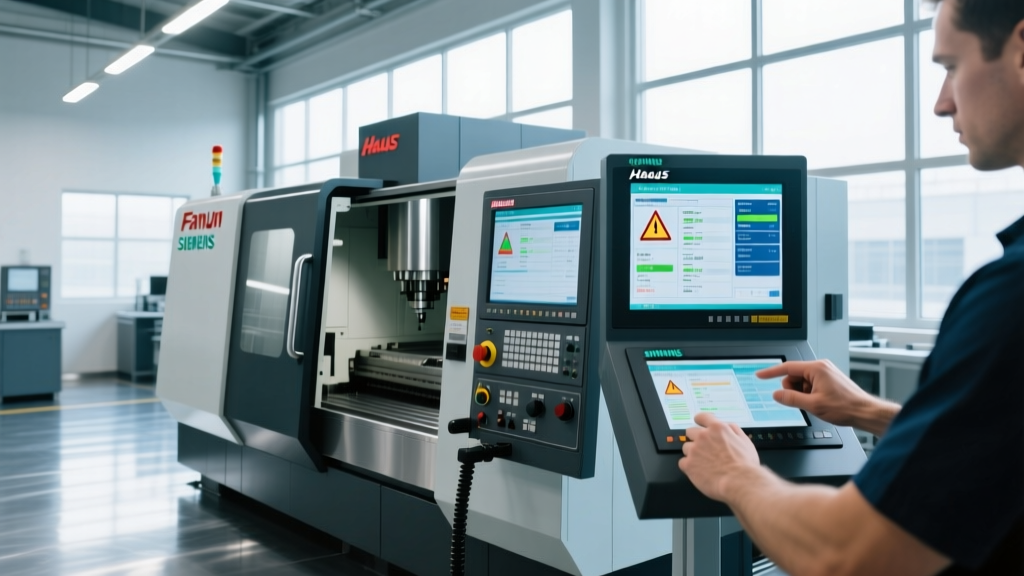
By training operators to navigate controller interfaces—specifically the diagnostic and servo pages of modern Fanuc, Siemens, and Haas systems—shops can triage alarms locally. More importantly, when a genuine mechanical fault occurs, operators can extract precise load and thermal data to hand off to technicians, drastically reducing the diagnostic time billed by external maintenance services for CNC machines.
Decoding the Big Three: Fanuc, Siemens, and Haas Interfaces
Operator training must move beyond basic G-code execution and cycle starts. Operators need to know exactly where to find the diagnostic sub-menus on the three dominant controller platforms used in 2026 manufacturing environments.
| Controller Model | Diagnostic Access Path | Key Servo Metric to Monitor | Common False-Alarm Trigger |
|---|---|---|---|
| Fanuc 0i-F Plus | Press [SYSTEM] > [DIAGN] soft key | Axis Load % (DGN 300 series) | Soft Overtravel (Alarm 500-series) |
| Siemens Sinumerik 840D sl | Menu > Diagnostics > Service Displays | Following Error (Actual vs. Command) | NC/PLC Interface timeout (Alarm 20000+) |
| Haas Next Gen Control (NGC) | Press [DIAGNOSTIC] button > Page Down | Servo Error (Position Lag in microns) | Tool Unclamp/Clamp sensor fault (Alarm 150+) |
Alarm Code Triage: Operator vs. Technician Territory
Not every alarm requires a technician. Establishing a strict triage protocol prevents shops from paying $175 to $250 per hour for OEM or third-party maintenance services for CNC machines when an operator-level reset is all that is required.
⚠️ The $800 Service Call Mistake: A common scenario involves an operator encountering a Fanuc 400-series servo alarm after a crash. Instead of checking the servo load page to see if the axis is mechanically bound, the shop dispatches a technician. The technician arrives, clears the crash recovery parameters, and bills the shop for four hours of travel and diagnostic time. Training operators to check mechanical binding first eliminates this waste.Level 1: Operator-Resettable Faults
- Soft Overtravel Alarms: Occurs when the program commands a move outside the defined soft limits. Operators must verify work offsets (G54-G59) and tool length compensation before resetting.
- E-Stop Chain Breaks (Intermittent): Often caused by loose limit switch wiring or coolant ingress. Operators should trace the physical E-stop loop and clean exposed switch contacts before calling for maintenance services for CNC machines.
- Spindle Orientation Faults: If the spindle fails to orient for a tool change, operators can manually command an M19 via MDI. If it locks in, the issue is likely a transient sensor glitch, not a failed encoder.
Level 2: Escalation to Maintenance Services
- Siemens 25050 (Axis Contouring Error): Indicates the axis cannot keep up with the commanded path. If adjusting the feedrate override to 50% does not clear the lag, the ball screw thrust bearings or servo motor coupler are failing.
- Haas Alarm 114 (X-Axis Servo Lag): When the following error exceeds the parameter limit during rapid traverses, it indicates severe way lube starvation or gib misalignment. This requires immediate mechanical intervention.
- Fanuc 700+ Series (System/Spindle Alarms): These indicate internal PCB failures, spindle amplifier faults, or fiber optic communication losses. Operators should never attempt to troubleshoot these; they require specialized maintenance services for CNC machines.
Extracting Servo and Spindle Data Before Dispatching Technicians
When a Level 2 fault is identified, the operator's job is not just to stop the machine, but to harvest data. Providing the exact servo load percentages and thermal displacement values to the technician allows them to order the correct replacement parts before they even arrive on-site.
Fanuc 0i-F Plus: Servo Load Extraction
- Press the [SYSTEM] button on the MDI panel.
- Press the [DIAGN] soft key at the bottom of the screen.
- Type 300 and press [O-SET/INPUT] to jump to the servo load page.
- Record the load percentage for the faulting axis. A normal idle load is 10-20%. If the idle load reads above 45%, the axis way covers are crushed or the ball screw is binding.
- Record the 'OVC' (Overload Current) alarm status. If OVC is flashing, the servo motor is drawing excessive amperage, pointing to an electrical failure rather than a mechanical one.
Haas NGC: Thermal Growth and Spindle Data
Thermal displacement causes massive scrap rates in tight-tolerance milling. Modern Haas NGC interfaces include built-in thermal compensation tracking. Before calling maintenance services for CNC machines to recalibrate spindle geometry, operators should check the thermal growth page.
Navigate to [DIAGNOSTIC] > Spindle/Thermal. The interface displays the real-time thermal expansion offset applied to the Z-axis. If the Z-axis compensation exceeds 0.004 inches (100 microns) and the machine has been running a warmup cycle for 45 minutes, the spindle chiller unit is likely failing to regulate coolant temperature. The operator can now direct the technician to inspect the chiller heat exchanger rather than the spindle bearings.
Properly trained operators act as the first line of predictive maintenance. By reading controller data, they transition from being simple button-pushers to vital diagnostic nodes on the shop floor.
Structuring Preventative Maintenance Services for CNC Machines Around Controller Data
Rather than relying on arbitrary calendar-based schedules, modern shops use controller interface data to trigger condition-based maintenance services for CNC machines. This prevents over-maintenance and catches degradation before it causes a crash.
| Controller Data Point | Threshold for Action | Required Maintenance Service |
|---|---|---|
| Axis Servo Load (Idle) | Increases by >15% from baseline | Inspect way lube lines, clean way covers, check ball screw preload. |
| Spindle Vibration (via HMI sensors) | Exceeds 2.5 mm/s RMS at 8,000 RPM | Schedule spindle drawbar force test and bearing greasing service. |
| Tool Magazine ATC Motor Current | Spikes during carousel rotation | Lubricate ATC cam box, inspect Geneva wheel for chipping. |
| Coolant Pump Amperage Draw | Drops below rated FLA by 10% | Clear chip blockages from pump impeller, check for cavitation. |
Integrating these data thresholds into your shop's standard operating procedures ensures that manufacturer support resources and external maintenance services for CNC machines are utilized only when physical degradation is verified by the machine's own sensors. For further reading on condition-based monitoring frameworks, the Society of Manufacturing Engineers (SME) provides extensive guidelines on leveraging CNC telemetry for predictive maintenance.
Implementing the Training Protocol
To institutionalize this knowledge, dedicate two hours per month to 'Interface Diagnostics' training. Have senior machinists intentionally trigger soft alarms and parameter lockouts, requiring junior operators to navigate the HMI, extract the diagnostic codes, and write a mock service ticket. This hands-on repetition builds the muscle memory required to keep machines cutting and ensures that when you do pay for professional maintenance services for CNC machines, the technician spends their time fixing the machine, not teaching your operators how to read the screen.