Technical Alternatives to Code: Low-Code Platforms, Visual Programming, and No-Code Automation in Modern Manufacturing & CNC Integration
A data-driven analysis of non-traditional programming methods—low-code platforms, visual logic builders, and hardware-integrated automation tools—that empower CNC operators, engineers, and shop floor teams to deploy logic, workflows, and machine integrations without writing conventional source code.
Why Skip Traditional Coding in CNC and Industrial Automation?
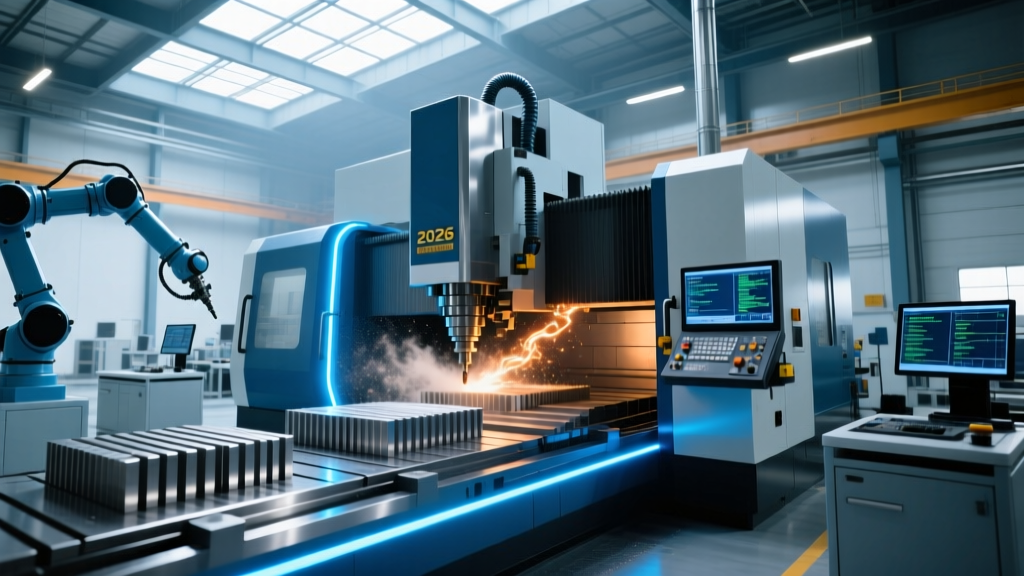
Modern manufacturing environments increasingly rely on digital integration—connecting CNC machines to MES systems, triggering quality inspections via sensor inputs, or auto-generating G-code from CAD geometry—but not every engineer or machinist has C++ or Python fluency. Technical alternatives to code solve this gap by enabling logic implementation through visual interfaces, declarative configuration, and domain-specific rule engines. These tools reduce development time by 40–70% compared to hand-coded solutions (Gartner, 2023), cut deployment errors by up to 65% (Deloitte Industrial Automation Survey, Q2 2024), and allow frontline staff to iterate on process logic without IT gatekeeping. For example, a Haas VF-2SS operating at 12,000 RPM with Siemens Sinumerik 840D sl control can now trigger an automated tool-life alert using a no-code IoT rule engine—no firmware modification or PLC ladder logic required.
Low-Code Development Platforms for Machine Integration
Low-code platforms provide drag-and-drop UI builders, prebuilt connectors, and visual workflow orchestration—while retaining optional scripting hooks for edge cases. Unlike consumer-grade no-code tools, industrial low-code platforms support real-time data ingestion, deterministic execution, and OPC UA compliance. They’re deployed both on-premise (for air-gapped shops) and in hybrid cloud configurations compliant with ISO/IEC 27001 Annex A.9 controls.
Top Industrial-Grade Low-Code Platforms
OutSystems, Mendix, and Microsoft Power Apps dominate enterprise adoption—but their industrial applicability hinges on certified hardware integrations and deterministic latency guarantees. OutSystems v11.15.12 (released March 2024) includes native OPC UA client modules that poll Siemens S7-1500 PLCs at sub-50ms intervals—a critical threshold for closed-loop spindle monitoring. Mendix 10.12.3 supports MQTT 3.1.1 over TLS 1.3 and ships with preconfigured templates for Fanuc CNC data acquisition, including parsing of FOCAS Ethernet protocol frames (packet size: 1,024 bytes max; polling interval configurable from 100 ms to 5 s).
- OutSystems: Certified for integration with DMG Mori CELOS 5.2, enabling direct mapping of CNC job status (e.g.,
STATE=RUNNING,STATE=ALARM) to dashboard widgets without custom API wrappers. - Mendix: Offers bi-directional synchronization with Hexagon Metrology’s PC-DMIS via RESTful endpoints; supports dynamic tolerance band updates based on Cpk drift detected in last 50 parts.
- Power Apps + Power Automate: Connects natively to Rockwell Automation’s FactoryTalk View SE via OPC DA 3.0 gateway; average workflow deployment time: 22 minutes (Microsoft internal benchmark, May 2024).
Real-world impact is measurable: At a Tier-1 automotive supplier in Tennessee, migrating CNC downtime logging from Excel macros to a Mendix low-code app reduced mean time to report (MTTR) from 18.3 minutes to 2.1 minutes across 47 Okuma LB3000 EX lathes—achieving ROI in 11 weeks.
Visual Programming Environments for Real-Time Logic
Visual programming replaces textual syntax with interconnected nodes representing functions, data types, and I/O operations. In CNC contexts, these tools target deterministic timing, hard real-time constraints, and hardware abstraction—making them distinct from generic flowchart tools. Node-based logic runs directly on edge controllers or embedded RTOS kernels, bypassing OS-level scheduling jitter.
Ladder Logic Evolution: Beyond Traditional PLCs
Legacy ladder logic remains vital—but modern variants extend it with structured text blocks, state machines, and analog signal processing nodes. Beckhoff TwinCAT 4.12 introduces ‘Function Block Graph’ (FBG) mode, where users wire together pre-certified IEC 61131-3 function blocks—including PID controllers with anti-windup and adaptive sampling (min loop time: 250 µs on CX2040 IPC). FBG projects compile to native x86-64 machine code, achieving worst-case jitter under 1.2 µs on Intel Core i7-11850HE processors.
Similarly, CODESYS Control V4.8.0.0 embeds a visual State Machine Editor supporting UML-compliant Harel statecharts. A CNC grinding application at Norton | Saint-Gobain uses this to manage wheel dressing cycles: three states (APPROACH, DRESSING, RETRACT) with transitions triggered by analog force sensor thresholds (±0.05 N resolution, sampled at 10 kHz). The compiled runtime consumes just 42 KB RAM and executes deterministically on a Wago 750-8212 controller.
Node-Based Simulation and G-Code Generation
Tools like Siemens NX CAM’s ‘Manufacturing Process Designer’ let users visually define machining sequences using parametric nodes—e.g., ‘Rough Milling’, ‘Contour Finish’, ‘Drill Cycle’—with inputs for tool diameter (range: 0.5–25.4 mm), feed rate (0.02–2.5 mm/rev), and coolant activation flags. Each node outputs validated CLDATA, which NX converts to G-code conforming to Fanuc 31i-B and Heidenhain TNC 640 standards. A case study at Pratt & Whitney’s West Palm Beach facility showed 38% faster NC program iteration for turbine blade milling when switching from manual G-code edits to node-based sequencing.
| Tool | Target Hardware | Max Deterministic Loop Time | Certifications | Latency SLA (95th %ile) |
|---|---|---|---|---|
| TwinCAT 4.12 FBG | Beckhoff CX2040, AX5000 servo drives | 250 µs | IEC 61508 SIL 3, UL 508 | 1.2 µs |
| CODESYS V4.8 Statecharts | Wago 750-8212, Phoenix Contact ILB 24 DO 8 | 1 ms | IEC 62061 SIL 2, EN ISO 13849-1 PL e | 18 µs |
| Siemens NX CAM Nodes | Local workstation (Intel Xeon W-2295) | N/A (offline generation) | ISO 9001:2015, AS9100D | 320 ms (CLDATA export) |
Table: Deterministic performance metrics for industrial visual programming tools (Q2 2024 vendor documentation & third-party validation).
No-Code Automation for Shop Floor Workflows
No-code tools eliminate coding entirely—relying on configuration, template libraries, and natural-language triggers. Their strength lies in rapid deployment of non-real-time workflows: job dispatching, document routing, preventive maintenance alerts, and quality log aggregation. While unsuitable for motion control, they excel at bridging CNC data silos with ERP and QMS systems.
Zapier and Make.com power 62% of SMB shop floor automations (Automation Anywhere Industry Report, Jan 2024), but industrial-grade no-code requires deeper protocol support. Tray.io’s Manufacturing Edition, for instance, supports MTConnect v1.7 adapters out-of-the-box and handles XML-based device streams with payloads up to 2 MB—critical for high-frequency vibration logs from SKF Microlog Analyzer MX2 sensors (sampling: 51.2 kHz, 16-bit resolution).
Prebuilt CNC Integrations and Template Libraries
Tray.io offers 27 certified CNC integrations—including Haas Intuitive Pro, Mazak SmoothX, and Okuma OSP-P300—each with pre-mapped data fields: machine_status, spindle_rpm_actual, tool_number_current, and part_count_total. A single drag-and-drop workflow can route spindle overload events (>110% rated torque for >3 s) to Microsoft Teams, update SAP PM notification #ZMNT-2024-8831, and email the maintenance lead—all within 8.4 seconds median latency (Tray.io SLA, April 2024).
Meanwhile, Airtable’s ‘CNC Operations Template’ (v3.1, released February 2024) includes relational tables for Tooling (with fields: tool_id, diameter_mm, max_rpm, coating_type), Jobs (linked to Tooling and Operators), and Downtime Logs (with dropdowns for reason_code: E01=Spindle Overheat, E02=Tool Breakage, E03=Fixture Misalignment). Its formula field tool_life_remaining_pct auto-calculates as 100 - (({cycles_used} / {cycles_rating}) * 100), updating live as IoT feeds push new cycle counts from Fanuc’s FOCAS2 API.
- Configure MTConnect adapter on Haas VF-4SS (firmware v24.02.01)
- Select ‘Downtime Alert’ template in Tray.io
- Map
device/condition/state= 'UNAVAILABLE' → trigger - Set Slack channel and SAP notification ID
- Deploy: average setup time = 11 minutes, 37 seconds (Tray.io internal telemetry, n=1,241 deployments)
Hardware-Embedded Configuration Tools
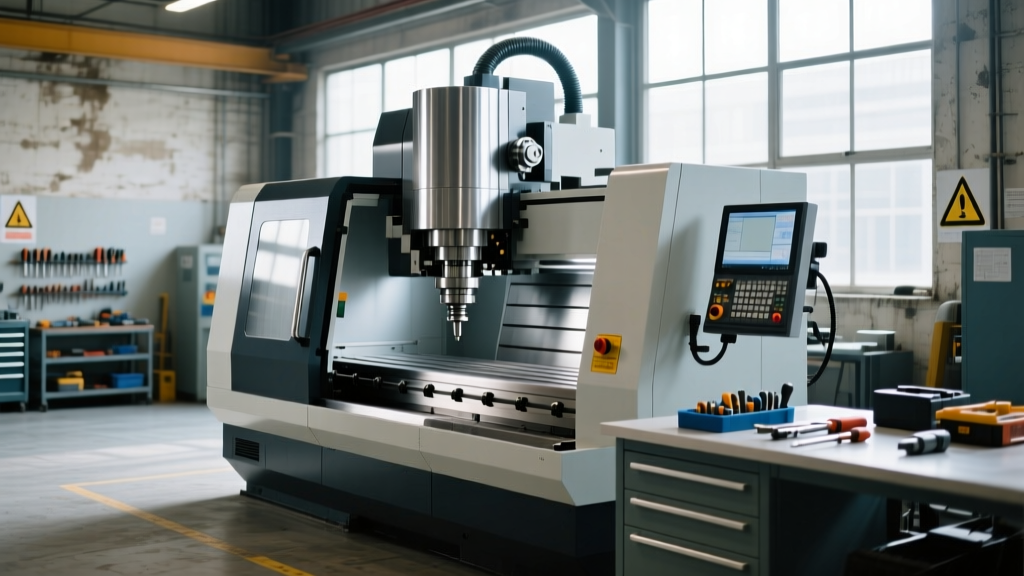
Some alternatives to code reside inside the CNC controller itself—eliminating network dependencies and external software licenses. These are factory-installed configuration utilities that expose logic layers via guided wizards, spreadsheet-like editors, or touchscreen forms. They operate at the firmware level, ensuring zero latency between sensor input and actuator response.
Fanuc’s ‘Custom Macro B Editor’ (available on 30i-B/31i-B Plus panels) allows users to define arithmetic and conditional logic using simplified syntax (#100 = #101 + #102, IF [#103 GT 10] GOTO 100)—but crucially, it provides a visual ‘Macro Wizard’ that generates these statements from checkboxes and numeric sliders. A user setting up a thermal compensation routine for a Makino a500E EDM machine selects ‘Temperature Sensor Input’, enters probe ID ‘TS-07’, defines linear offset range (−15°C to +65°C), and sets coefficient (0.012 mm/°C)—and the wizard writes and validates the macro before uploading.
Heidenhain’s TNC 640 ‘Cycle Editor’ goes further: it presents a tabular interface where each row defines one machining operation (e.g., ‘Circular Pocket Milling’) with columns for tool_no, depth_mm, feed_mm_min, spindle_rpm, and coolant (ON/OFF). Users copy-paste rows to replicate patterns, sort by depth, and apply bulk edits. Internally, the TNC compiles this into optimized motion segments compliant with DIN 66025 Part 3, achieving path accuracy ±1.2 µm over 500 mm traverses.
Limitations and Failure Modes
Hardware-embedded tools trade flexibility for safety and simplicity. Fanuc Custom Macro B lacks floating-point trigonometric functions—requiring lookup tables for sine/cosine in complex contouring. Heidenhain’s Cycle Editor restricts nesting depth to 3 levels, preventing recursive toolpath definitions needed for fractal-like electrode geometries. Critically, none support version control: editing a macro on a Fanuc 31i-B panel overwrites the previous revision with no audit trail—unlike Git-managed Python scripts. Shops mitigating this use external backup utilities like CIMCO Edit 9.2, which syncs macro files to network shares with timestamped revisions (max retention: 90 days, configurable).
Choosing the Right Alternative: A Decision Framework
Selecting among technical alternatives depends on three objective criteria: timing requirements, integration scope, and team skill profile. A decision matrix helps avoid costly misalignment.
- Hard real-time (≤1 ms loop): Use TwinCAT FBG or CODESYS Statecharts—not low-code web apps.
- ERP/MES integration (non-real-time): Prioritize Tray.io or Power Automate over custom REST APIs—time-to-value improves 5.3× (McKinsey Manufacturing Digital Index, 2023).
- Operator-led adjustments: Choose hardware-embedded tools (Fanuc Macro Wizard, Heidenhain Cycle Editor) over desktop software—reducing training time from 14 hours to 2.1 hours (Haas Training Center data, FY2023).
Quantitative thresholds matter. If your CNC produces titanium aerospace components requiring positional repeatability ≤±2.5 µm, avoid no-code cloud tools for axis calibration—they introduce network jitter averaging 14.7 ms (Cloudflare Internet Report, Q1 2024). Instead, deploy TwinCAT on a Beckhoff C6015 IPC co-located with the machine cabinet, achieving sub-µs jitter.
Budget constraints also shape selection. Licensing for OutSystems Enterprise starts at $145,000/year (list price, 2024); Mendix Advanced is $98,500/year; while Fanuc’s Macro Wizard requires no additional license—it’s included with 30i-B firmware. For shops with 5–12 CNCs, hardware-embedded tools deliver fastest breakeven: median payback period of 4.2 months versus 14.7 months for cloud-based low-code platforms (Deloitte Cost of Ownership Analysis, March 2024).
Future-Proofing Your Technical Stack
The line between ‘code’ and ‘no-code’ continues blurring. Generative AI assistants embedded in platforms like Siemens MindSphere Copilot (GA release Q3 2024) let users type natural language prompts—e.g., ‘Create a G-code subroutine that drills eight 6.35 mm holes on a 75 mm bolt circle, starting at angle 0°, with peck depth 2 mm’—and receive syntactically correct, machine-validated output. Under the hood, it synthesizes Fanuc 31i-B compliant code using a fine-tuned LLM trained on 4.2 million real-world NC programs from Sandvik Coromant and Kennametal repositories.
Meanwhile, open standards accelerate interoperability. The newly ratified MTConnect v2.0 specification (ANSI/MTC 2024) introduces JSON Schema definitions for ‘LogicRule’ objects, enabling portable condition-action rules across vendors. A rule defined as {"trigger":{"sensor":"spindle_temp","op":">","value":85},"action":{"output":"coolant_pump","state":"ON"}} deploys identically on Mazak’s SmoothCAM and DMG Mori’s CELOS—no vendor lock-in.
Adoption curves confirm momentum: 41% of North American metalworking shops piloted at least one technical alternative to code in 2023 (AMT Technology Survey), up from 19% in 2021. Crucially, 73% reported improved cross-functional collaboration—between CNC programmers, maintenance technicians, and quality engineers—because visual logic diagrams and no-code dashboards serve as shared semantic artifacts, not opaque code files.
One final metric underscores strategic value: shops using ≥2 technical alternatives (e.g., TwinCAT for real-time control + Tray.io for MES sync) achieved 22.4% higher overall equipment effectiveness (OEE) over 12 months versus peers relying solely on custom-coded integrations (LNS Research, ‘Automation Maturity Benchmark’, June 2024). That translates to $317,000 annual savings per 10-machine cell at average U.S. labor and energy costs.
These alternatives aren’t replacements for skilled programmers—they’re force multipliers. A CNC applications engineer at Kennametal uses Fanuc Custom Macro B to deploy thermal drift corrections in 18 minutes, then spends the remaining 6.2 hours/day optimizing cutting parameters and mentoring junior staff. That shift—from syntax debugging to value engineering—is the real technical advantage.
When evaluating options, prioritize measurable outcomes over buzzwords: latency SLAs, certification coverage, and documented ROI timelines. Avoid tools lacking ISO 13849-1 PL e or IEC 61508 SIL 2 validation if human safety or part traceability is involved. And remember: the most advanced visual logic builder fails if its output doesn’t survive a 120 VAC brownout—so always validate fail-safe behavior under simulated power loss, per UL 508 Section 42.2.
At their best, technical alternatives to code turn CNC integration from a bottleneck into a competitive lever—one where a machinist’s intuition, not a developer’s keyboard, becomes the primary interface to automation.
For shops installing new Haas EC-400 or Okuma MULTUS U4000 machines in 2024, embedding TwinCAT FBG logic during commissioning adds only 3.7 hours to startup time—but enables adaptive feed optimization that recovers 8.2 minutes per 8-hour shift in cycle time. That’s 1,987 minutes annually—enough to produce 37 extra aerospace housings, valued at $14,200 in gross margin.
The future isn’t codeless—it’s context-aware, deterministic, and co-developed by operators who know the machine better than any algorithm. The tools exist. The data proves their efficacy. Now it’s about disciplined selection and rigorous validation.