What Does CNC Stand For in CNC Machine Selection? A Buyer’s Decoding Guide
Discover what CNC stands for in CNC machine tech and how decoding Computer Numerical Control helps buyers evaluate controllers, servos, and CAM costs.
When evaluating capital equipment for a modern machine shop, understanding the foundational technology is not merely academic—it directly impacts your ROI, software compatibility, and production capacity. While beginners often ask what does CNC stand for in CNC machine terminology, experienced buyers use the answer to decode the machine's architecture. CNC stands for Computer Numerical Control. However, for equipment selection, this acronym is best understood as a three-part buyer’s framework: the Computer (the industrial controller), the Numerical (the G-code language and CAM ecosystem), and the Control (the physical motion hardware and feedback loops).
By deconstructing the acronym, purchasing managers and shop owners can bypass marketing brochures and interrogate the actual engineering of a prospective machine. This guide breaks down how each letter of the CNC acronym dictates your buying decision, software overhead, and long-term maintenance costs.
Deconstructing the Acronym: A Buyer’s Framework
1. The 'Computer': Evaluating the Industrial Controller
The 'C' does not refer to a standard office PC; it refers to an industrial Programmable Logic Controller (PLC) or Industrial PC (IPC) designed to survive harsh shop-floor environments, coolant exposure, and electromagnetic interference. The controller dictates the user interface, processing speed for complex toolpaths, and network integration.
- Fanuc (e.g., 0i-F Plus): The industry workhorse. Highly reliable, ubiquitous in job shops, and universally understood by operators. Best for standard 3-axis and 4-axis production.
- Siemens Sinumerik ONE: A high-end controller featuring native 'Digital Twin' capabilities. Ideal for 5-axis aerospace and medical machining where simulation and collision avoidance are critical before the first chip is cut.
- Heidenhain TNC7: Favored in the mold-and-die industry for its superior conversational programming and advanced surface-finish algorithms.
- Proprietary OEM (e.g., Haas Next Generation Control (NGC)): Custom-built interfaces that offer intuitive workflows and lower initial cost, though they may limit third-party macro integration compared to open-architecture Fanuc systems.
2. The 'Numerical': The Language and CAM Ecosystem
The 'N' represents the numerical data—specifically RS-274 G-code and M-code—that dictates tool movement. From a buying perspective, the 'Numerical' aspect forces you to evaluate the machine's compatibility with your existing Computer-Aided Manufacturing (CAM) software.
Every CNC machine requires a post-processor to translate generic CAM toolpaths into machine-specific G-code. If you purchase a machine with an obscure or highly customized controller, you may face a $1,500 to $3,500 bill for a custom post-processor from your CAM vendor (such as Mastercam or GibbsCAM). Conversely, machines running standard Fanuc or Haas controls have thousands of free, pre-verified post-processors available for software like Autodesk Fusion 360.
3. The 'Control': Motion Hardware and Feedback Loops
The final 'C' represents the physical execution of the numerical commands. This encompasses the servo drives, ball screws, linear guideways, and encoders. The quality of the 'Control' hardware determines whether the machine can hold a ±0.0002-inch tolerance during heavy roughing or if it will suffer from tool deflection and chatter.
Equipment Matrix: How CNC Architecture Manifests Across Machine Types
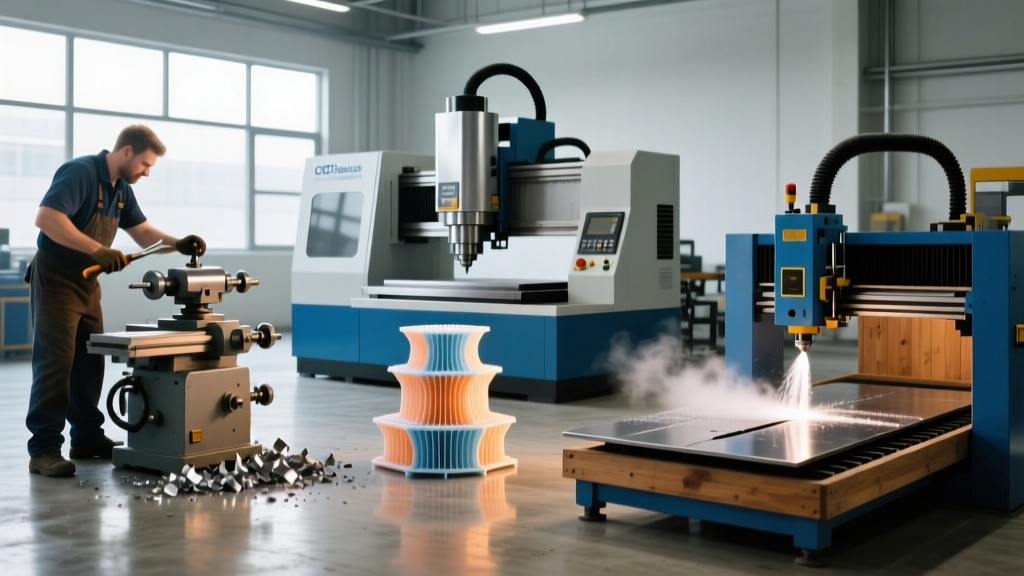
Different manufacturing applications require vastly different interpretations of Computer Numerical Control. The table below maps standard machine categories to their typical control architectures and current market pricing.
| Machine Category | Standard Controller Options | Axis Configuration | Approx. Base Price (USD) | Primary Use Case |
|---|---|---|---|---|
| CNC Router (Industrial) | OSAI, Syntec, Fanuc | 3-Axis to 5-Axis | $25,000 - $85,000 | Woodworking, plastics, aluminum sign-making |
| Vertical Machining Center (VMC) | Fanuc 0i, Haas NGC, Mitsubishi | 3-Axis (4th axis ready) | $65,000 - $140,000 | General job shop milling, brackets, enclosures |
| CNC Turning Center (Lathe) | Fanuc 0i-T, Siemens, Mazatrol | 2-Axis to 4-Axis (Live Tooling) | $80,000 - $220,000 | High-volume rotational parts, shafts, fittings |
| 5-Axis Simultaneous Mill | Heidenhain TNC7, Siemens Sinumerik ONE | 5-Axis Continuous | $250,000 - $600,000+ | Aerospace structural, impellers, complex medical |
The 'Numerical' Trap: Hidden Software Costs in Equipment Selection
A frequent mistake in capital equipment procurement is budgeting strictly for the physical machine while ignoring the 'Numerical' software pipeline. When selecting a CNC machine, you must audit the following software dependencies:
Warning: The Post-Processor BottleneckBefore signing a purchase order for a new CNC mill or lathe, verify that a verified post-processor exists for your specific CAM software and the exact controller model you are buying. If the OEM uses a proprietary control (e.g., a customized conversational interface), you may be forced to use their proprietary CAM software, locking you into annual licensing fees of $4,000 to $8,000 per seat.
Actionable Step: Request a sample G-code program from the machine dealer. Run it through your CAM software's simulation module to verify syntax compatibility, specifically checking for macro variables (e.g., #100-#199) and custom M-codes (like M154 for specific probe routines) that generic post-processors often fail to translate correctly.
Evaluating the 'Control' Hardware: Servos vs. Steppers
The physical 'Control' mechanism is where machine rigidity and precision are won or lost. The motors driving the ball screws are the most critical component to scrutinize.
Open-Loop Stepper Motors (Entry-Level)
Found primarily in sub-$20,000 hobbyist or light-duty routing machines, stepper motors move in discrete physical steps without positional feedback. If the cutting tool encounters a hard spot in the material and the motor stalls, the machine 'loses steps.' The controller continues sending numerical coordinates, completely unaware that the physical tool is now out of position, resulting in scrapped parts and potential spindle crashes.
Closed-Loop AC Servo Motors (Production-Grade)
Any machine intended for commercial production must utilize closed-loop AC servo motors (commonly supplied by Yaskawa, Mitsubishi, or Fanuc). These systems feature high-resolution optical or magnetic encoders mounted directly to the motor shaft or the ball screw. The encoder continuously feeds positional data back to the controller thousands of times per second.
The Servo Advantage in Heavy Cutting:If a 1-inch carbide endmill hits a tough inclusion in 304 stainless steel, a closed-loop servo system detects the micro-second positional lag, instantly commands a torque spike to maintain the exact feed rate, and alerts the controller if the deviation exceeds the programmed tolerance band (typically ±0.0001 inches). This prevents tool breakage and ensures aerospace-grade surface finishes.
The Buyer’s Interrogation Checklist
When touring a dealership or evaluating a spec sheet, use this CNC-decoded checklist to separate marketing claims from engineering reality:
- Controller Memory & Processing: Does the controller support standard Ethernet (not just RS-232 serial) for DNC (Direct Numerical Control) dripping? Complex 3D surface toolpaths can exceed 20MB; standard controller memory often caps at 1MB or 2GB, requiring continuous network streaming.
- Look-Ahead Capability: How many blocks of G-code can the controller process in advance? High-speed machining of complex 3D contours requires a minimum of 200 to 600-block look-ahead to prevent the machine from decelerating at every minor vector change, which causes dwell marks on the workpiece.
- Thermal Compensation: Does the 'Control' system include active thermal compensation algorithms that adjust the Z-axis zero-point as the cast-iron column expands from spindle heat during a 12-hour shift?
- Encoder Resolution: Ask for the exact encoder resolution on the axis servos. Production VMCs should feature encoders offering at least 1,000,000 counts per revolution to ensure ultra-smooth contouring and eliminate servo stutter.
Understanding what CNC stands for is the first step in transitioning from a passive equipment purchaser to an informed manufacturing engineer. By rigorously evaluating the Computer, the Numerical ecosystem, and the Control hardware, you ensure your next machine acquisition is a calculated investment in precision and profitability, rather than an expensive lesson in software incompatibility.