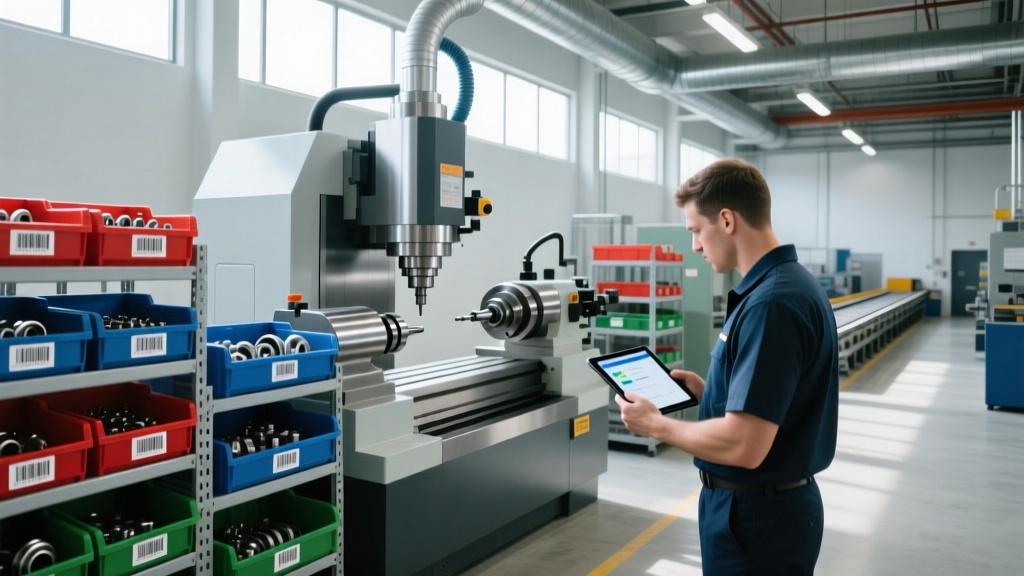
Using Manufacturing Equipment Maintenance Software for Spare Parts
Learn how to optimize spare parts inventory using manufacturing equipment maintenance software. Discover best practices for operators and managers.
A single missing $40 proximity sensor can halt a $5,000-per-hour CNC production line, turning a minor component shortage into a catastrophic OEE (Overall Equipment Effectiveness) failure. While many facilities invest heavily in predictive maintenance sensors and high-speed machinery, the backend logistics of spare parts inventory management often remain trapped in fragmented spreadsheets and tribal knowledge. Transitioning to a dedicated manufacturing equipment maintenance software platform is no longer optional for modern factories; it is the operational baseline for minimizing unplanned downtime.
The Hidden Cost of Stockouts: According to industry benchmarks tracked by the Society for Maintenance & Reliability Professionals (SMRP), the average manufacturing plant experiences 20% to 30% in excess inventory carrying costs, while simultaneously suffering stockouts on 10% to 15% of critical spare parts. Software-driven optimization directly attacks this paradox.Why Spreadsheets Destroy Spare Parts Visibility
Relying on manual logs or legacy ERP modules not purpose-built for the shop floor creates 'phantom inventory.' This occurs when the system shows three hydraulic filters in stock, but physical reality reveals zero usable units due to unrecorded breakage, misplacement, or technicians hoarding parts in personal toolboxes. Manufacturing equipment maintenance software solves this by enforcing real-time, scan-based checkouts that tie physical consumption directly to specific work orders and asset Bill of Materials (BOM) records.
Essential Modules in Manufacturing Equipment Maintenance Software
When evaluating platforms like Fiix, UpKeep, or MaintainX, facility managers must look beyond basic work order generation. A robust spare parts module requires specific architectural features:
- Asset-to-Part BOM Mapping: The ability to link specific parts (e.g., SKF 6205-2Z bearings) directly to the asset tree (e.g., Haas VF-2 Spindle Motor), allowing technicians to see exactly what is required before walking to the crib.
- Automated Min/Max Reorder Triggers: Dynamic thresholds that adjust based on historical consumption rates and current supplier lead times, rather than static, manually entered numbers.
- Kitting Capabilities: Grouping multiple SKUs (seals, gaskets, lubricants) into a single 'rebuild kit' work order to ensure all components are available before a teardown begins.
- Mobile Barcode/QR Scanning: Native mobile app integration allowing operators to scan bin locations and part numbers using ruggedized hardware like the Zebra TC21 or Honeywell Voyager.
Software Tier Comparison for Inventory Management
Not every facility requires enterprise-grade complexity. Selecting the right manufacturing equipment maintenance software depends on your SKU count and integration needs.
| Software Tier | Target Facility | Key Inventory Features | Estimated Pricing (2026) |
|---|---|---|---|
| Entry-Level (e.g., MaintainX) | Job shops, <500 SKUs | Basic QR scanning, manual min/max alerts, simple purchase order generation. | $16 - $25 /user/month |
| Mid-Market (e.g., Fiix, UpKeep) | Mid-size plants, 500-5,000 SKUs | BOM integration, predictive reorder points, multi-site transfers, ERP sync. | $45 - $75 /user/month |
| Enterprise EAM (e.g., SAP PM, Maximo) | Global operations, 10,000+ SKUs | AI-driven demand forecasting, automated vendor EDI, global inventory pooling. | Custom enterprise licensing |
Operator Training: Building a Parts-First Maintenance Culture
The most sophisticated manufacturing equipment maintenance software will fail if the floor culture resists adoption. The golden rule of modern inventory management is: 'If it is not scanned, it does not exist.' Training must focus on eliminating friction at the point of consumption.
Pro-Tip for Crib Layout: Position the most frequently consumed PM (Preventative Maintenance) consumables—such as filters, O-rings, and standard fasteners—in open, unsecured 'vending' bins near the timeclock or shift-handoff zone. Reserve the secured, scan-required cage for high-value items like VFDs (Variable Frequency Drives) and servo motors.The 4-Step Technician Checkout Workflow
- Work Order Initiation: The technician opens the assigned PM or corrective work order on their mobile terminal. The software displays the required BOM parts.
- Scan-to-Pick: The technician walks to the crib, scans the bin location QR code, then scans the part barcode. The software verifies the pick against the BOM to prevent grabbing the wrong revision (e.g., picking a 24V sensor instead of a 12V sensor).
- Consumption Logging: Upon completing the repair, the technician marks the parts as 'Consumed' or 'Returned.' Unused items are immediately scanned back into the virtual inventory.
- Defect Reporting: If a part is found damaged in the bin, the operator flags it in the app, triggering an automatic quality hold and adjusting the available stock count instantly.
Calculating Min/Max Levels Using Software Analytics
Static min/max levels guarantee either stockouts or bloated carrying costs. Modern platforms use historical MTBF (Mean Time Between Failures) and supplier lead time data to calculate dynamic thresholds. Operators and reliability engineers should configure the software using the following foundational logic:
Safety Stock = (Maximum Lead Time - Average Lead Time) x Maximum Daily Usage.
Reorder Point = (Average Lead Time x Average Daily Usage) + Safety Stock.
By feeding real-time API data from suppliers into your manufacturing equipment maintenance software, the system automatically adjusts the 'Maximum Lead Time' variable if a specific vendor begins experiencing supply chain delays, triggering earlier purchase orders without human intervention.
Handling Edge Cases: Obsolete and Phantom Inventory
Legacy equipment, such as older Fanuc or Allen-Bradley control systems, often requires parts that are no longer commercially available. A common mistake is deleting these obsolete SKUs from the software when the physical stock hits zero.
Warning: Do Not Delete Obsolete SKUsInstead of deleting an obsolete part, change its status in the software to 'Critical Hold / Obsolete.' This preserves the historical consumption data, maintains the link to the asset BOM, and alerts engineering to design a modern retrofit or identify a third-party reverse-engineering supplier before the final physical unit is consumed.
Integrating with Procurement and ERP Systems
For mid-to-large facilities, the maintenance software cannot exist in a silo. It must push approved purchase requisitions directly into your financial ERP (such as NetSuite, Microsoft Dynamics, or SAP). According to digital transformation reports featured in Plant Engineering, API-driven integration between the shop floor CMMS and the front-office ERP reduces procurement processing time by up to 40% and eliminates duplicate data entry errors. Ensure your chosen platform supports RESTful APIs or native Zapier/Make webhooks to automate the flow from 'Low Stock Alert' to 'Approved Purchase Order' seamlessly.
Mastering spare parts inventory is not merely a logistical task; it is a core reliability engineering discipline. By enforcing strict scanning protocols, leveraging dynamic min/max algorithms, and selecting the right tier of manufacturing equipment maintenance software, facilities can drastically reduce emergency freight costs and keep production lines running at peak capacity.