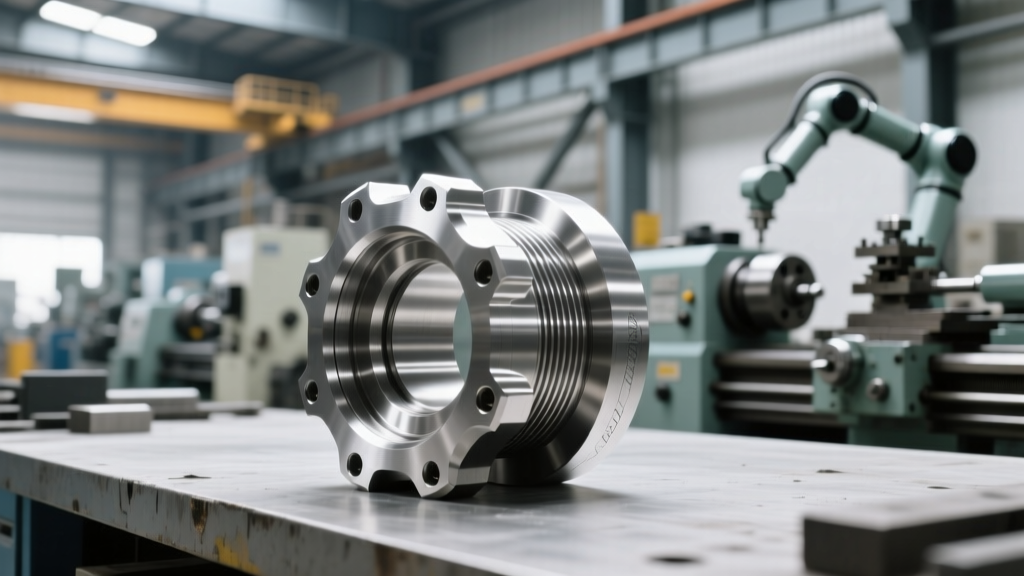
Why Generic Heavy Equipment Clipart Fails in Maintenance Schedules
Discover why relying on generic heavy equipment clipart for maintenance schedules causes costly repair errors, and how to use OEM schematics instead.
The Hidden Liability of Generic Visuals in Preventive Maintenance
When fleet administrators, safety officers, or junior technicians search for "heavy equipment clipart" to build daily inspection checklists or preventive maintenance (PM) schedules, they are usually looking for a quick visual shortcut. The intent is understandable: visual work orders reduce cognitive load and speed up routine inspections. However, utilizing generic, non-to-scale vector graphics in heavy machinery repair and maintenance documentation introduces severe operational and financial risks.
Consider a routine 500-hour PM schedule on a Caterpillar 336 Excavator. If a maintenance planner uses a generic yellow excavator vector found via a basic image search to illustrate the greasing points, the operator will miss critical, model-specific zerks—such as the rear-axle oscillating pin or the specific bucket linkage points unique to the 336's heavy-lift configuration. The result is accelerated pin wear, catastrophic bushing failure, and an unplanned $4,500 repair that a proper visual schedule would have prevented. In industrial maintenance, visual accuracy is not an aesthetic choice; it is a mechanical necessity.
Visual Asset Tiers: Clipart vs. OEM Schematics vs. ISO Standards
To build a reliable Computerized Maintenance Management System (CMMS) library, maintenance teams must understand the hierarchy of visual assets. Generic web graphics have no place in formal service schedules.
| Asset Type | Source | Format | Accuracy | CMMS Utility |
|---|---|---|---|---|
| Generic Web Vectors | Stock image sites, search engines | PNG, JPG, basic SVG | Low (Stylized, non-specific) | None (Causes misidentification) |
| OEM Exploded Views | Cat SIS, John Deere TIS, Komatsu ISS | DXF, DWG, Vector PDF | Exact (Part-number specific) | High (Allows hotspot mapping) |
| ISO 7010 Safety Symbols | ISO Standards Database | SVG, EPS | Standardized (Universal meaning) | High (Required for LOTO/Warnings) |
| Custom CAD Exports | Internal Engineering / SolidWorks | SVG, STEP | Exact (Fleet-specific mods) | Maximum (Digital Twin integration) |
Sourcing Accurate Vector Graphics for Service Schedules
Rather than relying on arbitrary internet graphics, reliability engineers must extract visual data directly from Original Equipment Manufacturer (OEM) service portals. Modern OEM systems provide highly detailed, vector-based schematics that can be repurposed for PM schedules.
Extracting from Caterpillar SIS 2.0
Caterpillar’s Service Information System (SIS 2.0) contains precise hydraulic and mechanical routing diagrams. To use these in a visual PM schedule:
- Navigate to the specific serial number prefix (e.g., JFH for specific 320 GC models) to ensure the schematic matches the exact build configuration.
- Open the "Lubrication Specifications" or "Hydraulic Schematic" module.
- Use the portal’s native export function to generate a high-resolution Vector PDF or DXF file.
- Import the DXF into a vector editor (like Adobe Illustrator or the open-source Inkscape) to strip away unnecessary background layers, leaving only the component outlines and grease points.
- Export the cleaned graphic as an optimized SVG (Scalable Vector Graphics) file, keeping the file size under 2MB for rapid CMMS loading.
Utilizing John Deere Technical Information System (TIS)
For agricultural and construction fleets utilizing John Deere equipment (such as the 310SL Backhoe), the TIS portal provides interactive wiring and hydraulic schematics. Maintenance planners can isolate specific circuits—like the pilot control hydraulic filter replacement sequence—and export those specific nodes as SVG overlays for digital work orders.
⚠️ Warning: The Lockout/Tagout (LOTO) Danger ZoneNever use generic heavy equipment clipart to illustrate Lockout/Tagout procedures or energy isolation points. OSHA Standard 1910.147 mandates that machine-specific procedures must clearly identify all energy sources. A generic vector graphic will not accurately depict the exact location of the battery disconnect switch, hydraulic lockout valves, or stored-pressure bleeders on a specific machine serial number. Using non-OEM graphics for LOTO documentation is a direct OSHA violation and exposes the company to severe liability in the event of an injury.
Integrating Visual Schematics into Modern CMMS Platforms
Once you have replaced generic graphics with accurate OEM-derived SVGs, the next step is integrating them into your CMMS (e.g., Fiix, UpKeep, SAP Plant Maintenance, or IBM Maximo). Modern platforms support interactive SVG overlays, transforming a static image into a functional maintenance tool.
Creating Interactive Hotspots
By editing the SVG code, maintenance planners can embed hyperlinks directly into specific components on the schematic. For example, on a visual PM schedule for a Komatsu PC210LC-11 excavator, the hydraulic return filter housing can be coded as a clickable hotspot. When the technician taps the filter housing on their ruggedized tablet in the field, the CMMS instantly pulls up the exact replacement part number (e.g., 203-60-81130), the required O-ring kit, and the torque specification for the housing bolts.
This level of interactivity eliminates the need for technicians to cross-reference physical parts manuals in the cab, reducing PM execution time by an average of 18% according to reliability benchmarks tracked by the Society for Maintenance & Reliability Professionals (SMRP).
Color Coding and Standardization
When preparing schematics for your visual library, enforce a strict color-coding standard using Hex codes to represent different maintenance intervals and fluid types. Do not rely on the default colors exported from OEM CAD files, as they often clash across different manufacturers.
- Hydraulic Fluid Paths: #0055A4 (Deep Blue)
- Engine Oil / Lubrication Points: #FFCD11 (Standard Construction Yellow)
- Coolant Systems: #00A859 (Green)
- 500-Hour PM Highlights: #FF6B00 (High-Visibility Orange)
- LOTO / Danger Zones: #E3000F (Safety Red, compliant with ISO 7010 graphical safety symbols)
Building a Centralized Digital Asset Management (DAM) Library
To prevent technicians from reverting to internet search engines for quick graphics, organizations must build a centralized, searchable Digital Asset Management (DAM) library. This library should be hosted on a secure internal server or integrated directly into the company's SharePoint environment.
Metadata Tagging for Rapid Retrieval
An SVG schematic is useless if it cannot be found quickly. Every visual asset uploaded to the DAM must be tagged with rigorous metadata. A proper tagging schema includes:
- OEM & Model: e.g., CAT-336-Excavator
- System: e.g., Hydraulic-Implement-Pump
- PM Interval: e.g., 250-Hour, 1000-Hour
- Document Type: e.g., LOTO-Schematic, Lubrication-Map, Wiring-Harness
When a planner is building a work order for a 1,000-hour service on a Volvo A40G Articulated Hauler, they can query the DAM for "Volvo-A40G-1000-Hour-Lubrication" and instantly retrieve the verified, OEM-accurate SVG, completely eliminating the temptation to use inaccurate web graphics.
Transitioning from Paper to Digital Visual Schedules
For fleets still relying on laminated paper checklists zip-tied to the cab ROPS (Roll-Over Protective Structure), the transition to digital visual schedules requires addressing hardware limitations. Paper checklists often utilize low-resolution, heavily compressed graphics to save ink and space. This compression blurs critical details, such as the distinction between a standard grease zerk and a flush-type zerk.
By moving to tablet-based CMMS applications utilizing SVG schematics, the graphics scale infinitely without pixelation. A technician can pinch-to-zoom on a complex transmission valve body schematic on a Panasonic Toughpad or Apple iPad Pro, clearly reading the 8-point font torque specs and directional flow arrows that would be entirely illegible on a printed, clipart-laden paper form. Furthermore, digital platforms allow for the immediate reporting of discrepancies; if a technician notices a hose routing difference between the OEM schematic and the actual machine in the field, they can snap a photo, annotate the SVG, and push a revision request directly to the reliability engineering team.
The True Cost of Visual Inaccuracy
The time saved by downloading a generic vector graphic is measured in minutes. The cost of a missed maintenance point, a misidentified hydraulic line, or an OSHA citation stemming from an inaccurate LOTO diagram is measured in tens of thousands of dollars. Heavy machinery maintenance demands precision. By retiring generic graphics and investing the time to curate a library of OEM-accurate, interactive SVG schematics, maintenance teams transform their visual schedules from passive illustrations into active, error-reducing engineering tools.