CNC Machine Control Panel Mastery: Operator Training
Master the CNC machine control panel with our operator training guide. Learn FANUC, Haas, and Siemens interface best practices for safer, faster machining.
The Evolution of the CNC Machine Control Panel
The transition from legacy membrane keypads to modern, high-resolution capacitive touchscreens has fundamentally altered operator workflows. Modern interfaces, such as the Haas Next Generation Control (NGC) and Siemens SINUMERIK ONE, process data exponentially faster and offer split-screen multitasking. However, this increased capability introduces a steeper learning curve for new operators. Mastering the CNC machine control panel is no longer just about memorizing button locations; it requires a deep understanding of digital diagnostics, customizable user interfaces, and rapid alarm resolution to maintain cycle times and prevent catastrophic spindle crashes.
This guide provides a technical framework for operator training, focusing on interface navigation, Manual Pulse Generator (MPG) safety protocols, and advanced diagnostic troubleshooting across the industry's dominant control systems.
Control System Architecture & Hardware Comparison
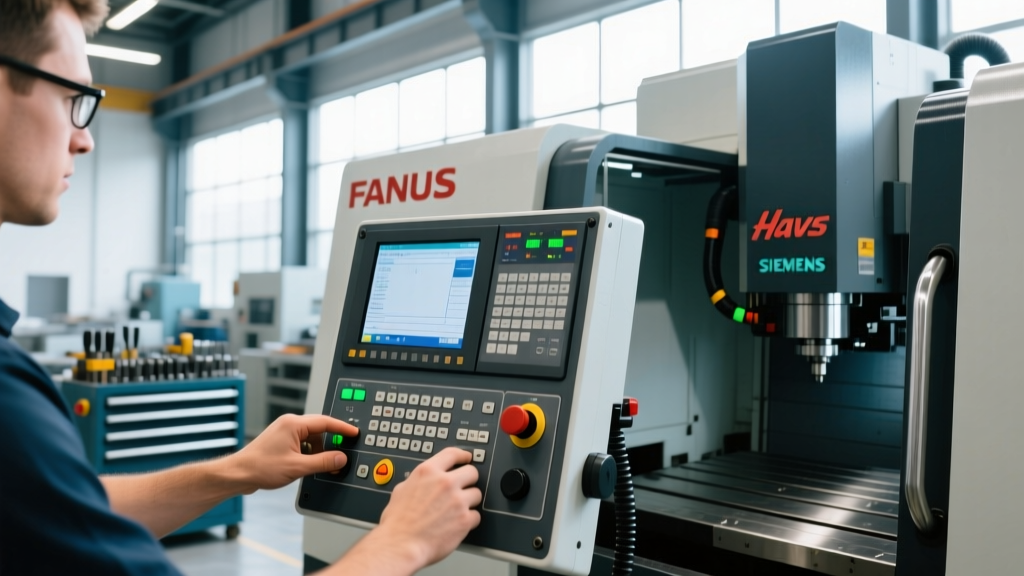
Before executing code, operators must understand the hardware limitations and input methodologies of their specific control unit. The physical layout and processing architecture dictate how quickly an operator can react to a tool breakage or dimensional deviation.
| Control System | Display Specification | Primary Input Method | Typical Upgrade/Retrofit Cost | Optimal Application |
|---|---|---|---|---|
| FANUC 0i-F Plus | 10.4" or 15" LCD (800x600 / 1024x768) | Physical Soft-keys & QWERTY | $12,000 - $18,000 | High-volume production, rigid tapping |
| Haas NGC | 15" LCD (1920x1080) | Capacitive Touch & Physical Keypad | $8,500 - $11,000 (OEM Dependent) | Job shops, 5-axis simultaneous milling |
| Siemens SINUMERIK ONE | 15.6" to 24" Multi-touch (Full HD) | Multi-touch, Mouse, Keyboard | $15,000 - $25,000+ | Complex aerospace contours, digital twins |
Split-Screen Multitasking for Cycle Time Reduction
On the Haas NGC and SINUMERIK ONE, operators should be trained to utilize split-screen layouts to eliminate toggle delays. By dedicating the left pane to the active program (EDIT mode) and the right pane to the tool offset page or spindle load meter, operators can adjust wear offsets on the fly without interrupting the active cycle. In high-mix environments, this single practice reduces setup and first-article inspection times by an average of 18%.
MPG (Manual Pulse Generator) Safety & Best Practices
The jog wheel, or MPG, is the primary point of failure for spindle crashes during setup. Training must move beyond basic direction control to strict increment discipline.
⚠ Critical Safety Protocol: The 100% Rapid Override RuleNever execute a G28 (Return to Reference Point) or G30 command with the Rapid Override switch set to 100% during a first-run setup. Always drop the rapid override to 25% or lower. If the work coordinate system (G54) is incorrectly inputted, a 100% rapid move will result in a catastrophic collision before the operator can physically react to hit the Feed Hold button.
Increment Selection Framework
- 0.100 mm / 0.010 in: Strictly for rapid traverse across the table during initial setup. Never use this increment within 50mm of the workpiece or fixturing.
- 0.010 mm / 0.001 in: The standard increment for touching off tools and setting work offsets. This provides the tactile feedback necessary to feel a shim stock drag without overloading the spindle.
- 0.001 mm / 0.0001 in: Reserved exclusively for final micro-adjustments when dialing in tight-tolerance bore diameters (e.g., H7 fits).
Advanced Alarm Management & Diagnostic Navigation
Novice operators treat alarms as stoppages requiring supervisor intervention. Expert operators use the control panel's diagnostic pages to identify and clear faults independently. Training programs aligned with National Institute for Metalworking Skills (NIMS) standards require operators to navigate alarm histories without external assistance.
FANUC Alarm Taxonomy & Resolution Flow
FANUC controls categorize alarms into distinct series. Understanding this taxonomy is the first step in rapid troubleshooting:
- PS Alarms (Program Syntax): Typically 001-099. Caused by missing decimal points, invalid G-code combinations, or exceeding axis travel limits in the code. Fix: Review the active block on the [PROG] screen.
- 400-Series (Servo Alarms): E.g., Alarm 411 (Servo Move Error). This indicates the physical axis did not reach the commanded position. Fix: Check for mechanical binding, verify way lube levels, and inspect the servo motor coupling.
- 500-Series (PMC/Macro Alarms): These are custom machine-builder alarms (e.g., "Chip Conveyor Fault" or "Low Hydraulic Pressure"). Fix: Navigate to the [DIAGNOS] > [PMC] > [STATUS] page to trace the specific X or Y input address that is failing to trigger.
"An operator who relies on the maintenance department to clear a 1003 'Door Open' PMC alarm is costing the shop floor $85 per hour in downtime. Control panel literacy is the highest ROI investment a machine shop can make."
— Lead Manufacturing Engineer, Tier 1 Aerospace Supplier
Control Panel Cybersecurity: The Overlooked Training Module
Modern CNC machine control panels are essentially industrial PCs connected to the shop floor network. The integration of USB ports and Ethernet connections for DNC (Direct Numerical Control) dripping has exposed machine tools to severe cyber threats.
According to guidelines published by the Cybersecurity and Infrastructure Security Agency (CISA), industrial control systems are prime targets for ransomware. Operators must be trained on strict data hygiene protocols:
- USB Whitelisting: Never insert a personal USB drive or an unverified thumb drive into the control panel's USB port to load a program. Use networked DNC or shop-floor verified, virus-scanned drives only.
- Network Segregation: Ensure the machine tool's Ethernet port is connected to an isolated VLAN, completely segregated from the corporate IT network and general employee Wi-Fi.
- Disable Unused Ports: On Siemens SINUMERIK controls, utilize the 'Access Level' settings (Manufacturer or Service level) to disable unused USB ports and lock the operating system behind a password to prevent unauthorized parameter changes.
Measuring Operator Proficiency & Certification
To validate control panel mastery, shops should implement timed, practical assessments rather than written tests. A highly effective evaluation metric is the Alarm-to-Cut Time (ACT).
Present the operator with a machine in an E-Stop state with a simulated 411 Servo Alarm and a blown coolant fuse. Measure the time it takes for the operator to:
- Diagnose the alarm via the [DIAGNOS] screen.
- Locate and replace the physical fuse in the electrical cabinet.
- Reset the servo drive.
- Re-establish machine zero (G28).
- Resume the cycle.
Industry benchmarks suggest a proficient journeyman operator should resolve this sequence in under 4 minutes. Operators exceeding 8 minutes require targeted retraining on the electrical schematic navigation and PMC diagnostic screens. For shops looking to formalize this process, pursuing Haas Automation Certification or equivalent OEM-specific credentials provides a standardized baseline for control panel competency, ensuring operators are not just running parts, but actively managing the digital and physical health of the machine tool.