Best Entry-Level 4 Axis CNC Machine Alternatives 2026
Compare the best entry-level 4 axis CNC machine options for hobbyists. We analyze SainSmart, Bantam Tools, and Pocket NC alternatives for 2026.
The Reality of Adding a 4th Axis to Your Maker Space
Transitioning from 3-axis routing to multi-axis machining is the most significant capability leap a hobbyist or small-scale maker can make. Finding the right entry-level 4 axis CNC machine unlocks cylindrical engraving, continuous rotary carving (like wooden baseball bats or custom table legs), and complex aerospace prototyping in 6061-T6 aluminum. However, it also introduces severe CAM software complexities and workholding nightmares if you choose the wrong hardware.
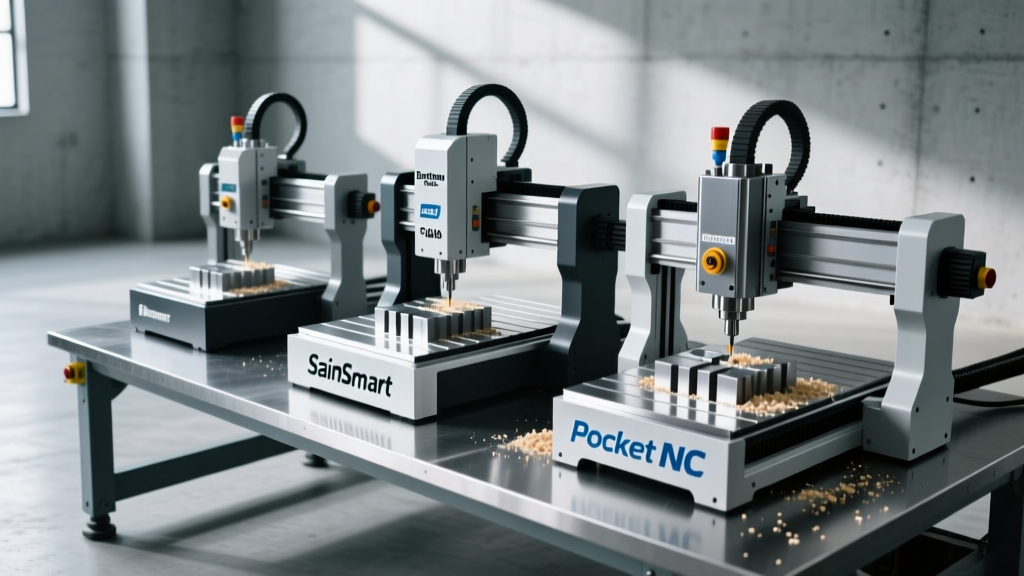
In 2026, the market for desktop and benchtop multi-axis machines has bifurcated into two distinct camps: indexed 3+1 axis routers (which treat the 4th axis as a separate, lockable rotary table) and continuous micro-mills (which offer simultaneous multi-axis interpolation). This guide cuts through the marketing fluff to compare the three most viable entry-level 4 axis CNC machine alternatives for serious makers, detailing exact specifications, hidden costs, and kinematic limitations.
⚠️ Critical Distinction: Indexed vs. ContinuousBefore spending thousands, understand the kinematics. Indexed (3+1) means the machine moves in X, Y, and Z, while the A-axis rotates the part to a specific angle and locks. Continuous (Simultaneous) means the X, Y, Z, and A axes move at the exact same time, allowing for complex helical toolpaths and organic 3D wrapping. Most budget machines are strictly indexed.
Contender 1: SainSmart Genmitsu PROVerXL 4030 V2 (The Budget DIY Route)
The Genmitsu PROVerXL 4030 V2 is fundamentally a heavy-duty 3-axis desktop router that accepts an optional 4th-axis rotary module. It is the undisputed king of the sub-$2,000 bracket, but it requires significant manual intervention to achieve true 4-axis results.
Hardware & Kinematics
- Work Envelope: 400 x 300 x 110 mm (X/Y/Z)
- Spindle: 300W DC spindle, peaking at 12,000 RPM (ER11 collet)
- 4th Axis Module: Belt-driven NEMA 23 stepper with a 65mm 3-jaw chuck
- Drive System: CoreXY-style belt drives on X/Y, lead screw on Z
The Maker Verdict
The Genmitsu is excellent for indexed operations. You can machine three sides of an aluminum enclosure, pause the program, manually rotate the part (or use a macro to rotate the A-axis), and machine the fourth side. However, the belt-driven rotary module introduces measurable backlash (often 0.05° to 0.1° of play). This makes it unsuitable for high-precision continuous rotary carving in metals, though it handles wood and machinable wax adequately.
Pros
- Highly rigid C-beam aluminum extrusion frame
- Massive community support and aftermarket upgrades
- Total system cost under $1,700 (including rotary)
Cons
- Stock GRBL firmware struggles with simultaneous 4-axis G-code
- Belt-driven rotary axis lacks harmonic precision
- Requires upgrading to PlanetCNC or Mach4 for advanced toolpaths
Contender 2: Bantam Tools Desktop CNC (The Prosumer Standard)
If your maker space focuses on PCBA prototyping, custom brass fixtures, or high-detail wax carving for jewelry casting, the Bantam Tools Desktop CNC Milling Machine is the benchmark. Unlike the Genmitsu, Bantam's ecosystem is closed, highly polished, and designed specifically for multi-axis precision.
Hardware & Kinematics
- Work Envelope: 203 x 127 x 89 mm
- Spindle: 1/4 HP (186W) brushless DC, 20,000 RPM max (ER11)
- 4th Axis Module: Precision harmonic-drive rotary (zero backlash)
- Resolution: 0.0005" (0.0127mm) step resolution
The Maker Verdict
Bantam Tools integrates a harmonic drive gear reducer into their 4th-axis rotary attachment. This eliminates the backlash inherent in belt-driven systems, allowing for true simultaneous 4-axis interpolation. When paired with their proprietary CAM software, you can wrap 3D relief carvings around a cylinder with zero visible seam lines. The trade-off is the price: the base machine is roughly $3,699, and the 4th-axis attachment adds another $1,499, pushing this setup past the $5,000 mark.
"The harmonic drive on the Bantam 4th axis is what separates a $5,000 prosumer machine from a $1,500 hobbyist router. In metals like 360 Brass, that zero-backlash gearing is the difference to a scrapped part and a perfect helical gear." — Desktop Machining Forum Consensus, 2025
The Wildcard Alternative: Pocket NC FR1
For makers who realize that a standard 4 axis CNC machine still cannot machine complex undercuts or turbine blades, the Pocket NC FR1 enters the chat. While technically a 5-axis machine, it is frequently cross-shopped by high-end hobbyists looking for continuous multi-axis capabilities on a benchtop footprint.
- Kinematics: Tilting B-axis and rotating C-axis (Table-Table configuration)
- Spindle: 125W, 30,000 RPM high-frequency spindle
- Work Envelope: Roughly 120mm diameter sphere of machining space
- Price: ~$4,499 (Base)
The FR1 uses kinematic couplings and Sherline-style collets. It is not designed for routing large wooden signs; it is designed for machining titanium medical implants, micro-fluidics in Delrin, and intricate jewelry masters in casting wax. It requires Autodesk Fusion or Mastercam to generate the complex toolpaths, demanding a steep CAM learning curve.
Specification & Capability Matrix
| Feature | Genmitsu PROVerXL V2 | Bantam Tools Desktop | Pocket NC FR1 |
|---|---|---|---|
| Primary Use Case | Wood routing, sign making, basic aluminum enclosures | PCB milling, brass fixtures, precision wax carving | Micro-machining, aerospace prototypes, complex 3D geometry |
| 4th Axis Type | Belt-driven (Indexed / Basic Continuous) | Harmonic Drive (Precision Continuous) | Direct Drive / Ball Screw (Simultaneous 5-Axis) |
| Spindle Power | 300W DC | 186W (1/4 HP) Brushless | 125W High-Frequency |
| Est. Total Cost (2026) | ~$1,700 | ~$5,198 | ~$4,499 |
| CAM Software Needed | Carbide Create, Deskproto, Mach4 | Bantam CAM, Fusion 360 | Fusion 360, Mastercam |
Hidden Costs of 4-Axis Machining
Buying the machine is only the first financial hurdle. Makers frequently underestimate the ancillary costs required to actually run a 4 axis CNC machine effectively.
1. The CAM Software Bottleneck
Most entry-level CAD/CAM packages (like Easel or basic Carbide Create) do not support 4-axis toolpath generation. You will need to upgrade to Deskproto (approx. $149 for the Hobbyist Multi-Axis license) or rely on Autodesk Fusion. Note that while Fusion's hobbyist license is free, Autodesk frequently shifts which multi-axis simultaneous toolpaths are gated behind their paid Manufacturing Extension. Always verify current CAM licensing before buying hardware.
2. Workholding and Tailstocks
A 4th-axis chuck suspended in mid-air will deflect under the lateral cutting forces of an endmill, especially in aluminum. You must budget for a live center tailstock ($150-$300) to support the distal end of your stock. Furthermore, you will need specialized low-profile clamps and sacrificial sub-plates to prevent the cutter from colliding with the chuck body during deep Z-axis passes.
3. Tooling Geometry
Standard 2-flute flat endmills are inadequate for continuous rotary carving. You will need to invest in tapered ball nose endmills for fine detail wrapping and long-reach stub endmills to clear the rotary chuck's diameter. Expect to spend an additional $200-$400 on specialized carbide tooling from manufacturers like Harvey Tool or Destiny Tool.
Decision Framework: Which Machine Should You Buy?
Use this CNC Cookbook-inspired decision tree to finalize your purchase based on your actual shop output, not aspirational projects.
The Maker's IF/THEN Decision Matrix
- IF you primarily machine wood, acrylic, and soft plastics, and your budget is strictly under $2,000 ➔ BUY the SainSmart Genmitsu PROVerXL 4030 V2. Accept the indexed limitations and use Deskproto for basic wrapping.
- IF you are producing small-batch brass hardware, precision PCB molds, or jewelry masters, and demand zero-backlash repeatability ➔ BUY the Bantam Tools Desktop CNC with 4th Axis. The harmonic drive pays for itself in scrapped-part prevention.
- IF you are engineering micro-fluidics, titanium bone screws, or complex impellers, and have a strong grasp of 5-axis CAM collision avoidance ➔ BUY the Pocket NC FR1.
- IF you only need to machine a hexagonal profile on the end of a shaft once a month ➔ DO NOT BUY a 4-axis CNC. Buy a manual dividing head for your existing drill press or mill, or outsource the operation.
Final Thoughts on Multi-Axis Adoption
Adopting a 4 axis CNC machine transforms a hobbyist from a simple profile-cutter into a true micro-manufacturer. The key to success in 2026 is matching the machine's kinematic reality to your material science requirements. Do not attempt to force a belt-driven budget router to hold 0.001" tolerances on continuous aluminum rotary cuts, and do not overspend on a 5-axis micro-mill if your primary output is large-format wooden signage. Define your tolerances, map your CAM workflow, and invest in the workholding that bridges the gap between the spindle and the part.