Understanding the CNC Full Form: Machine Alternatives for Makers
Learn the CNC full form and compare top entry-level machine alternatives for hobbyists. We analyze Genmitsu, Shapeoko, and X-Carve specs and pricing.
Decoding the CNC Full Form for the Modern Workshop
The literal CNC full form is Computer Numerical Control. At its core, this refers to the automated control of machining tools by means of a computer executing pre-programmed sequences of machine control instructions (G-code). However, when hobbyists and independent makers search for a practical desktop setup, they are rarely looking for industrial 5-axis Haas or Mazak mills. Instead, they need accessible, sub-$2,500 Cartesian router systems capable of milling wood, plastics, non-ferrous metals, and PCBs.
Core Definition & Scope
Computer Numerical Control (CNC) transforms digital CAD/CAM models into physical parts via subtractive manufacturing. In the entry-level maker space, this typically involves a 3-axis gantry system driven by stepper motors, guided by linear rails or V-slot extrusions, and controlled by an ESP32 or Arduino-based motion controller.
The 2026 Entry-Level CNC Machine Landscape
The budget CNC router market has matured significantly. A few years ago, sub-$1,000 machines were plagued by missed steps, open-loop NEMA 17 stepper motors, and flimsy 3D-printed brackets. Today, the standard for entry-level alternatives includes NEMA 23 motors, rigid C-beam aluminum extrusions, and advanced 32-bit controllers. The transition from 8-bit GRBL boards to ESP32-based FluidNC firmware has allowed hobbyists to utilize Wi-Fi file transfers, real-time feed rate overrides, and closed-loop stepper integration without breaking the bank.
Head-to-Head Comparison Matrix: Sub-$2,500 CNC Routers
Selecting the right machine requires balancing working envelope, rigidity, and controller ecosystem. Below is a technical comparison of the leading entry-level alternatives currently dominating maker spaces.
| Model | Working Area (XYZ) | Drive & Guidance | Controller / Firmware | Approx. Price (2026) |
|---|---|---|---|---|
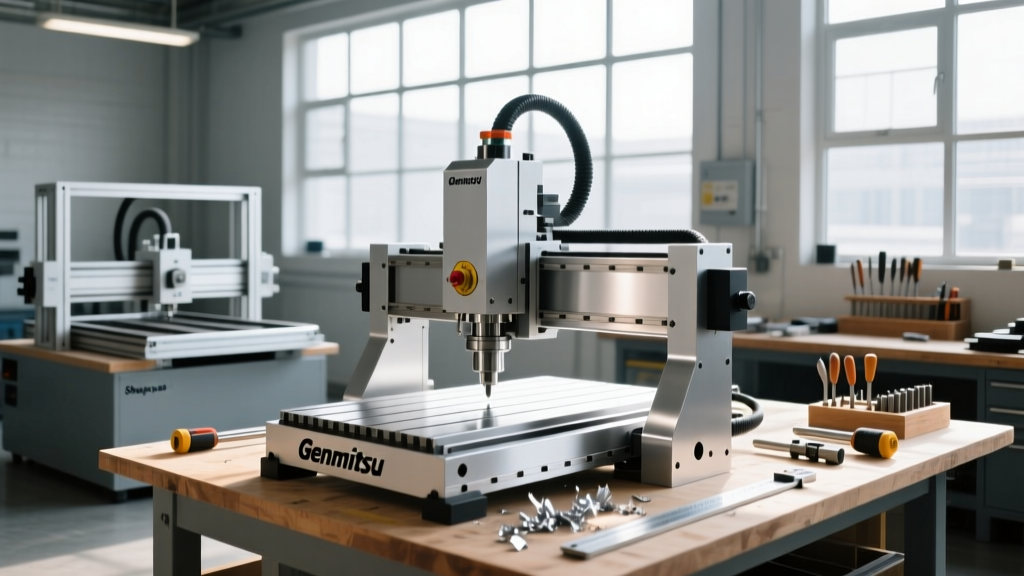
| Genmitsu PROVerXL 4030 V2 | 400 x 300 x 110 mm | NEMA 23, Belts (XY), Lead Screw (Z), C-Beam | Custom GRBL 1.1 / Offline Touchscreen | $1,099 |
| Carbide 3D Shapeoko 5 (Std) | 400 x 400 x 90 mm | NEMA 23, Linear Guide Rails (X), V-Wheels (Y,Z) | Carbide Motion (GRBL-based 32-bit) | $1,799 |
| Inventables X-Carve | 750 x 750 x 100 mm | NEMA 23, Belts (XY), Lead Screw (Z), V-Slot | Easel (Cloud-integrated GRBL) | $1,499 |
| FoxAlien Masuter Pro | 400 x 380 x 90 mm | NEMA 17, Belts (XY), Lead Screw (Z), Linear Rails | Standard GRBL 1.1 | $329 |
Critical Failure Modes and Edge Cases in Budget Routers
Manufacturer specifications rarely highlight the mechanical limitations that appear after 50 hours of cutting. Understanding these failure modes is crucial for setting realistic expectations and planning necessary upgrades.
1. V-Wheel Flat Spotting and Z-Axis Sag
Machines utilizing polycarbonate V-wheels riding on aluminum V-slot extrusions (like the X-Carve and older Shapeoko models) are prone to flat-spotting if the machine is left parked under heavy tension for extended periods. More critically, the Z-axis is the most vulnerable point on budget routers. When routing dense hardwoods like maple or attempting light passes on 6061 aluminum, the Z-axis carriage can experience micro-deflections. This results in 'chatter' marks on the material surface and premature end-mill wear. Fix: Upgrade the Z-axis to a ball-screw mechanism or switch to machines utilizing linear guide rails on all axes, such as the Shapeoko 5's X-axis configuration.
2. Belt Stretch and Backlash in XY Gantry Systems
GT2 fiberglass-reinforced timing belts are standard on entry-level machines. While they do not stretch significantly under normal loads, improper tensioning leads to backlash—where the router bit lags behind the commanded position during direction changes. This manifests as visible 'ghosting' or double-lines in circular pocketing operations. Machines using lead screws on the X and Y axes eliminate belt stretch but introduce friction and speed limitations.
3. Spindle Runout and Collet Inaccuracies
Most budget machines ship with a generic 775 DC motor spindle or rely on the user to mount a trim router. Generic DC spindles often exhibit 0.05mm to 0.1mm of runout at the collet, which snaps fragile 1/32-inch engraving bits instantly. Upgrading to a Makita RT0701C compact router reduces runout to approximately 0.02mm, vastly improving edge finish and bit lifespan.
Controller Architecture: GRBL vs. FluidNC
The brain of your CNC dictates your workflow efficiency. The legacy 8-bit GRBL firmware running on Arduino Unos is largely obsolete for new builds in 2026. The modern standard is FluidNC, an ESP32-based firmware that offers:
- Wi-Fi and Bluetooth Connectivity: Transfer G-code wirelessly via WebUI without relying on a tethered laptop.
- Higher Step Rates: Capable of processing complex 3D contouring G-code without the 'stuttering' common on 8-bit boards.
- Trinamic Driver Support: Enables sensorless homing and ultra-quiet stepper motor operation (TMC2209 drivers).
If you are building a custom CNC or upgrading an older kit, swapping the control board to a FluidNC-compatible ESP32 breakout (like the 6-Pack CNC Controller) is the highest ROI upgrade available.
Decision Framework: Which Machine Fits Your Workshop?
Use this conditional framework to select the optimal machine for your specific manufacturing goals:
- IF you primarily cut large signs, cabinet parts, and acoustic guitar bodies THEN choose the Inventables X-Carve for its 750x750mm envelope and Easel software integration.
- IF you need to machine aluminum brackets, brass inlays, and require high rigidity in a small footprint THEN choose the Carbide 3D Shapeoko 5 for its linear rail X-axis and heavy-duty extrusion frame.
- IF you are on a strict sub-$1,200 budget but still need NEMA 23 torque and an offline touchscreen workflow THEN choose the Genmitsu PROVerXL 4030 V2.
- IF you only need to engrave PCBs, cut thin basswood, and learn G-code basics THEN the FoxAlien Masuter Pro provides adequate entry-level utility.
The True Cost of Entry: Hidden Upgrades to Budget For
The advertised price of a CNC router is merely the entry fee. To achieve reliable, repeatable manufacturing results, you must allocate an additional 30% to 50% of the machine's base cost for essential peripherals.
- Workholding & Spoilboard Preparation ($80 - $150): You must surface the MDF spoilboard perfectly parallel to the gantry. Purchase a 1/2-inch shank CNC spoilboard surfacing bit (e.g., Amana Tool 46280-K, approx. $45) and a set of T-track clamps or Katz-Moses magnetic stops.
- Dust Collection & Enclosure ($150 - $300): Routing MDF or carbon fiber generates hazardous particulate matter. A Makita dust shoe paired with a minimum 650 CFM dust collector is non-negotiable for indoor air quality.
- Feeds and Speeds Software ($30 - $100): Guessing spindle RPM and feed rates will destroy your end mills. Invest in a subscription to G-Wizard Calculator or utilize the free GWizard lite limits to calculate precise chip loads for 6061 aluminum vs. HDPE.
- End Mill Inventory ($100+): Do not use generic Amazon carbide sets. Source purpose-built bits from reputable suppliers like Bits & Bits or Harvey Tool. You will need 1/4-inch and 1/8-inch 2-flute upcut spirals for wood, and 1-flute 'ZrN' coated bits specifically designed for aluminum to prevent chip welding.
"The biggest mistake beginners make is spending their entire budget on the router and leaving nothing for workholding and dust collection. A $2,000 machine held down by double-sided tape and cutting without dust extraction will yield worse results than a $300 machine properly fixtured and maintained." — Community consensus from the Carbide 3D and Shapeoko user forums.
Sources & Technical References
- Carbide 3D Official Specifications and Shapeoko 5 Assembly Documentation: carbide3d.com/shapeoko
- Inventables X-Carve Technical Specs and Easel CAM Integration: inventables.com/machines/x-carve
- Makita USA RT0701C Compact Router Motor Runout and Collet Specifications: makitatools.com