Operator Training: What Can I Do With a CNC Machine Controller?
Master CNC controller interfaces. Learn operator best practices for Haas NGC, Fanuc 0i-F, and Siemens Sinumerik to optimize machining workflows.
The Core Question: Beyond the Spindle and Axes
When beginners ask, "what can I do with a CNC machine?", they typically focus on material removal rates, spindle torque, or axis travel limits. But for the professional operator, the true bottleneck and enabler of productivity lies in the pendant. Understanding what you can do with a CNC machine controller interface is the dividing line between a basic button-pusher and a master machinist. The controller is the brain of the operation, dictating not just how the machine moves, but how you interact with the G-code, manage tool offsets, and diagnose mechanical faults before they result in a catastrophic crash.
In 2026, modern CNC interfaces have evolved far beyond the monochromatic, text-heavy screens of the early 2000s. Today's operator must navigate high-resolution touchscreens, digital twin integrations, and complex macro-variable environments. This guide breaks down the industry-standard controller ecosystems, providing actionable training frameworks for shop floor fluency.
Industry-Standard Controller Ecosystems: A Comparison Matrix
Before diving into specific operational best practices, operators must understand the architectural differences between the dominant controller families. Each interface demands a distinct cognitive approach to program verification and toolpath management.
| Controller Model | Primary Interface Style | Conversational Programming | Standard Memory / Storage | Ideal Application |
|---|---|---|---|---|
| Haas NGC (Next Gen) | 15" LCD, Keyboard + Physical Jog Handle | VPS (Visual Programming System) | 2GB Internal + USB/Network | High-mix job shops, rapid prototyping |
| Fanuc 0i-F Plus | 10.4" or 15" LCD, iHMI Touch + Keypad | Manual Guide i (Optional) | 1MB to 10MB (Option dependent) | High-volume production, OEM integration |
| Siemens Sinumerik ONE | 19" Multi-touch Capacitive Screen | ShopMill / ShopTurn (Native) | Integrated SSD / Networked | 5-axis simultaneous, complex aerospace |
| Heidenhain TNC 640 | 15" or 19" TFT, SmartTouch with Gestures | Klartext (Native Conversational) | 32GB Internal SSD | Precision mold & die, complex milling |
Navigating the Haas NGC: Visual Workflows and VPS
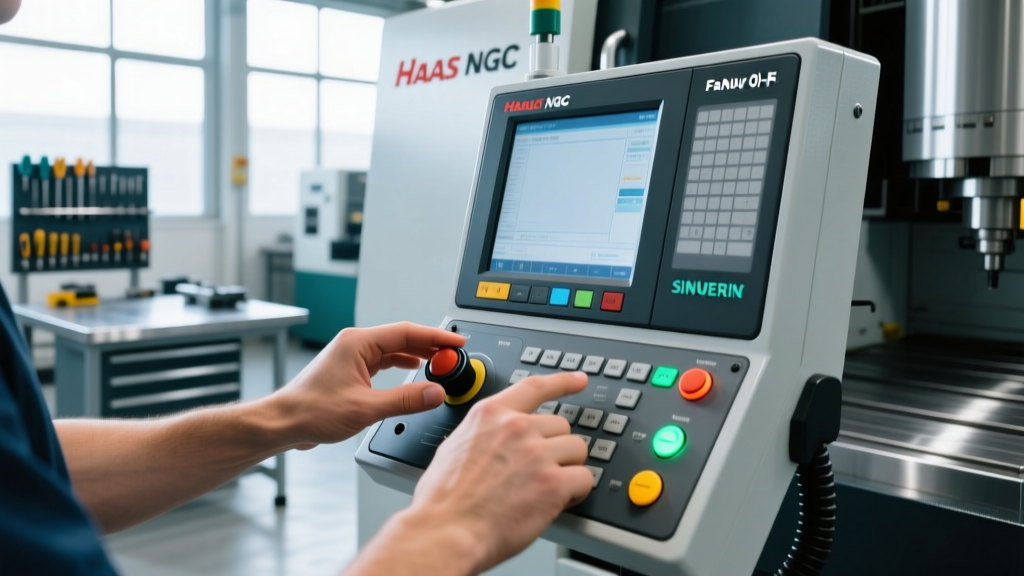
The Haas Next Generation Control (NGC) dominates the North American job shop sector due to its low barrier to entry and intuitive layout. When training on the NGC, operators should immediately master the Visual Programming System (VPS). Unlike raw G-code editing, VPS allows operators to generate standard geometries (pockets, bolt hole circles, contours) using on-screen templates.
Operator Tip: Do not rely solely on VPS for complex 3D surfacing. While VPS is excellent for 2.5D prismatic parts, operators should utilize the NGC's USB and Ethernet ports to transfer CAM-generated G-code directly. Use the NGC's 'Graphics' tab to run a dry-run simulation at 10x speed before committing to the first cut, paying close attention to the Z-axis clearance planes highlighted in green.For shops running older VF-series mills, upgrading to the NGC interface via a Haas retrofit kit (typically priced around $4,995) is a highly recommended ROI investment. The NGC's background editing feature allows operators to modify tool offsets and edit upcoming program blocks on one half of the screen while the machine is actively cutting a different section of the part on the other half, eliminating spindle downtime.
Mastering the Fanuc 0i-F Plus: The iHMI and Macro Variables
Fanuc controllers are the undisputed standard in global OEM manufacturing and high-volume production environments. The 0i-F Plus series introduced the iHMI (Intelligent Human Machine Interface), which modernizes the classic Fanuc look with graphical guidance and touchscreen capabilities. However, the true power of the Fanuc interface lies beneath the surface in Custom Macro B.
Advanced operators must learn to read and manipulate macro variables (denoted by the # symbol). For example, probing cycles on a Fanuc interface often write part deviation data into variables like #135 or #136. By understanding how to map these variables to the operator display via the macro executor, you can create custom on-screen dashboards that alert you when a tool wear offset exceeds 0.002 inches, triggering an automatic machine pause before scrap is produced.
Siemens Sinumerik ONE: The Digital Twin Interface
The Siemens Sinumerik ONE represents the cutting edge of controller technology in 2026, built entirely around the concept of the digital twin. Through the Siemens CNC ecosystem, operators interact with 'Create MyVirtualMachine' software. This means the physical pendant on the shop floor is running the exact same software kernel as the virtual machine on the programmer's desktop.
For operators, this translates to the ShopMill and ShopTurn conversational interfaces. Unlike Fanuc's optional conversational add-ons, Siemens integrates graphical step-by-step programming natively. Operators can define a contour, and the interface will instantly generate a 3D toolpath simulation with collision detection. Best practice dictates that operators use the 'Animate' function rather than just the 'Simulate' function; Animate shows the material removal process layer by layer, allowing you to verify that the roughing tool is leaving the exact 0.010" stock allowance required for the finishing pass.
Troubleshooting Common Interface Alarms: A Decision Framework
Knowing what to do when the interface flashes red is a critical operator skill. Memorizing alarm codes reduces downtime from hours to minutes. Below is a rapid-response framework for the most common interface alarms encountered during daily operation.
Haas NGC Alarm 101: X Axis Overload / Following Error
- Symptom: Machine halts mid-cut, interface displays Axis Overload.
- Immediate Action: Do not reset and resume. Switch to Jog mode.
- Diagnostic Step 1: Check the way lube system. Is the meter block cycling? A dry way cover causes immense friction, triggering the servo overload.
- Diagnostic Step 2: Inspect the physical gib. If the axis feels tight when jogged manually via the handwheel, the gib may be over-tightened or contaminated with swarf.
Fanuc Alarm 411: X Axis Follow-up Error
- Symptom: The commanded position and actual position differ beyond the parameter limit (usually Parameter 1826).
- Immediate Action: Check the physical coupling between the servo motor and the ballscrew.
- Diagnostic Step 1: Use the interface's 'Diagnosis' page (Press SYSTEM -> DIAGN). Look at the 'Following Error' register. If the error spikes only during rapid traverse (G00), the issue is likely mechanical binding or a failing servo amplifier, not a programming error.
Daily Interface Setup Checklist for Operators
To maintain consistency and prevent interface-related crashes, operators should execute this exact sequence upon powering up the controller each morning:
- Clear the Buffer: Delete any resident programs in the active memory directory that do not belong to the current shift's traveler. Cluttered memory directories lead to loading the wrong revision of a G-code file.
- Verify Absolute Position: Before homing the machine, check the interface's 'Absolute' vs 'Machine' position pages. If the battery was changed over the weekend, the absolute encoders may require a grid shift recalibration.
- Check Active Modals: Look at the status line at the top of the screen. Ensure G40 (Cutter Comp Cancel), G49 (Tool Length Comp Cancel), and G80 (Canned Cycle Cancel) are active. Starting a program with a modal G43 from the previous shift still active is a leading cause of Z-axis crashes.
- Warm-Up Macro Execution: Run the machine's designated spindle and axis warm-up program. On Haas machines, this is often mapped to a specific macro button on the pendant to ensure thermal stability before setting the first work coordinate system (WCS).
Bridging the Gap: G-Code vs. Conversational Fluency
A common trap for new operators is relying entirely on conversational interfaces (like Haas VPS or Siemens ShopMill) while remaining illiterate in raw G-code. While conversational screens are excellent for generating a quick facing operation or drilling a bolt pattern, they often obscure the underlying kinematics. To truly answer the question of what you can achieve with your machine, you must be able to read the post-processed G-code.
When a CAM system outputs a 5-axis simultaneous toolpath, conversational interfaces cannot easily display or edit the complex rotary axis (A, B, or C) vectors. Operators must learn to read G43.4 (Tool Center Point Control) or G41.2/G42.2 (3D Cutter Compensation) blocks directly from the G-code screen. Understanding how the controller interpolates these vectors allows the operator to manually tweak the feedrate override or adjust the tool length offset on the fly to compensate for harmonic chatter, something a conversational screen simply will not allow you to do mid-cycle.
Mastering the CNC controller interface requires moving beyond basic cycle starts and feed holds. By leveraging background editing, mastering macro variable dashboards, and understanding the specific diagnostic pages of your machine's brain, you transform the pendant from a simple control box into a powerful diagnostic and optimization tool.