Automatic CNC Machine Controller Interfaces: Training Guide
Master automatic CNC machine controller interfaces. Compare Fanuc, Siemens, and Heidenhain panels and learn operator training best practices.
The transition from manual machining to operating an automatic cnc machine requires more than just understanding G-code; it demands complete fluency in the controller's Human-Machine Interface (HMI). Modern shop floors feature a mix of legacy and next-generation panels, and an operator's ability to navigate these interfaces directly dictates cycle times, scrap rates, and overall equipment effectiveness (OEE).
CRITICAL ALERT: Unplanned downtime caused by HMI navigation errors and improper offset entry costs mid-sized machine shops an average of $185 per hour. Interface training is not a one-time onboarding event; it is a continuous safety and profitability protocol.The Big Three: Controller Ecosystems in Modern Shops
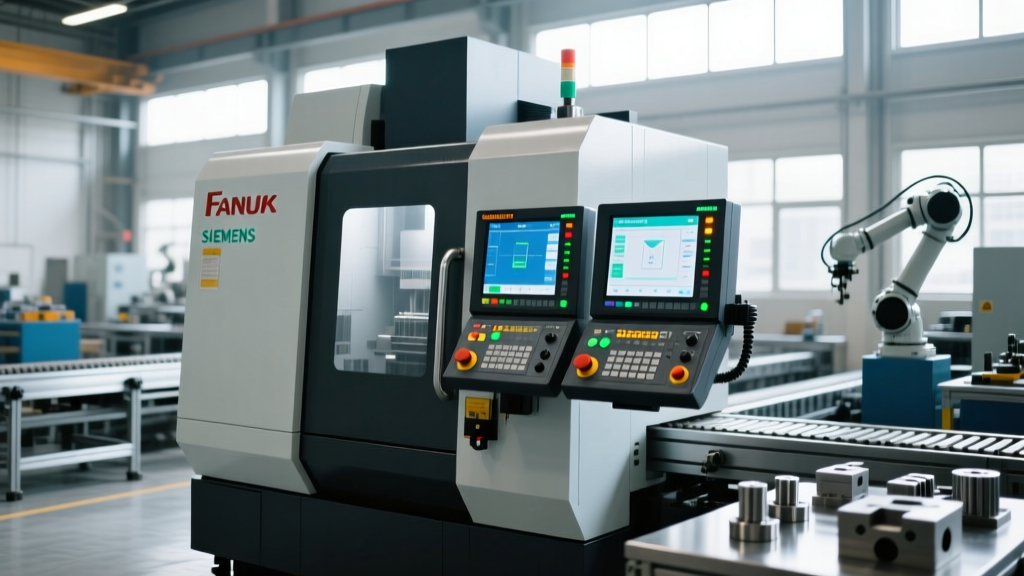
While dozens of controller brands exist, three dominant ecosystems dictate the training requirements for most precision manufacturing facilities. Each approaches the operator experience from a fundamentally different philosophy.
Fanuc (0i-F Plus & 31i-B5): The Tactile Standard
Fanuc remains the undisputed volume leader in CNC controls. The 0i-F Plus and high-end 31i-B5 models rely heavily on physical soft keys and a dedicated alphanumeric keypad. According to Fanuc America CNC Systems, this tactile approach is designed for environments where operators wear heavy coolant-soaked gloves, making capacitive touchscreens unreliable. Training here focuses on muscle memory: memorizing the exact sequence of physical button presses to reach the offset pages without looking away from the cutting zone.
Siemens (Sinumerik ONE): The Digital Twin Pioneer
Siemens has aggressively pushed the Sinumerik ONE platform, featuring the 'Operate' HMI. This interface utilizes 15.6-inch to 24-inch multi-touch displays. The training paradigm shifts from physical button mashing to gesture-based navigation and 3D collision simulation. Operators must learn to manipulate the digital twin on-screen, verifying toolpaths visually before committing to a cycle start.
Heidenhain (TNC 640): The Conversational Specialist
Preferred in mold and die making, the Heidenhain TNC 640 uses 'Klartext' conversational programming. Unlike the G-code centric Fanuc, Heidenhain prompts the operator with plain-language questions (e.g., 'Contour approach?'). Training focuses on geometric logic and spatial reasoning rather than memorizing M and G codes.
Controller Comparison Matrix
| Feature | Fanuc 0i-F Plus | Siemens Sinumerik ONE | Heidenhain TNC 640 |
|---|---|---|---|
| Primary Input | Physical Soft Keys / Keypad | Multi-touch / Mouse / Keyboard | Touchscreen / Specialized Keypad |
| Programming Style | ISO (G-Code) / Manual Guide i | ShopMill / ShopTurn / DIN | Klartext Conversational / ISO |
| Offset Entry Method | Measure Soft Key | Calculate / Accept Soft Key | Axis Key / Tool Axis Key |
| Training Curve | Steep (Code Memorization) | Moderate (GUI Navigation) | Moderate (Geometric Logic) |
| Avg. Training Cost | $1,200 / operator | $1,500 / operator | $1,400 / operator |
Operator Training Framework: From E-Stop to Cycle Start
Effective training for an automatic cnc machine must be broken down into cognitive phases. Research highlighted by NIST Advanced Manufacturing emphasizes that reducing cognitive load during setup directly correlates to fewer first-part crashes.
Phase 1: Work Coordinate System (WCS) Verification
Setting the G54 work offset is where 60% of setup crashes occur. Operators must master the specific input sequence for their controller.
- Fanuc Sequence: Jog to part zero. Press [OFS/SET] -> [WORK] -> Type Z value -> Press [Z] -> Press [MEASUR.]. Crucial Step: Verify the Z value on the screen matches the tool gauge length minus the part height.
- Siemens Sequence: Navigate to Parameter -> Zero Offset -> G54. Enter the value manually or use the 'Measure' function. Press 'Calculate' and then 'Accept'. Crucial Step: Ensure the 'Active' column shows a checkmark next to G54.
Phase 2: Tool Length and Wear Offset Management
Operators must understand the distinction between Geometry offsets (the physical length of the tool) and Wear offsets (compensation for tool degradation). A common catastrophic error is entering a 3.5-inch geometry value into the wear column, driving the spindle through the fixture.
Pro Tip for Supervisors: Lock the 'Geometry' offset pages via password parameters on Fanuc (Parameter 3202) and Siemens (Access Level 2). Only allow junior operators to modify the 'Wear' pages to prevent accidental macro-level shifts.Navigating Look-Ahead and Buffer Management
When running complex 3D contouring operations on an automatic cnc machine, the controller's look-ahead capability determines surface finish quality and cycle time. Operators must understand how to monitor and adjust the look-ahead buffer directly from the HMI.
On the Fanuc 31i-B5, the AICC (AI Contour Control) or AI APC (Advanced Preview Control) functions can process up to 200 blocks ahead. Operators can monitor the buffer status on the 'Program Check' screen. If the buffer consistently drops below 20 blocks during a high-speed finishing pass, the machine will micro-stutter, leaving dwell marks on the part surface.
Optimization Strategy: Instruct operators to insert G05.1 Q1 at the start of the finishing toolpath to explicitly activate high-speed look-ahead, and G05.1 Q0 at the end to free up memory for roughing operations. Failing to cancel look-ahead can cause unexpected deceleration during rapid traverses in subsequent operations.Spindle Load Monitoring and Adaptive Control
Modern HMIs integrate real-time spindle load meters, but novice operators often ignore them until an alarm triggers. Training must emphasize proactive load management.
For example, when machining Inconel 718 on a Siemens-controlled 5-axis mill, the Operate HMI allows operators to set adaptive feedrate limits. By navigating to the 'Machine Data' or 'Override' settings, operators can cap the maximum feedrate based on real-time spindle load percentages. If the load exceeds 85%, the interface automatically scales the feed override down to 60%, preventing tool fracture. Teaching operators to configure these adaptive thresholds—rather than relying on static CAM-generated feedrates—extends tool life by an average of 22% in tough aerospace alloys.
Critical Interface Failures and Operator Mitigation
Even highly trained operators encounter interface-driven anomalies. Troubleshooting these requires understanding the controller's internal logic rather than just resetting the machine.
An alarm code is not a suggestion to hit reset; it is the controller's way of communicating a physical or logical boundary violation. Treat every alarm as a diagnostic starting point.
- Fanuc Alarm 414 (Servo Alarm: X Axis Detect Err): Often caused by physical obstruction or way lube starvation. Operator Action: Do not increase servo load limits. Check way lube lines and manually jog the axis in the opposite direction at 5% rapid.
- Siemens Alarm 25050 (Axis Contour Monitoring): The axis did not reach the commanded position within the tolerance band. Operator Action: Check for heavy chip buildup on the way covers or verify that the feedrate override dial was not accidentally bumped during a high-speed contouring move.
- Heidenhain Error 204 (Program Stop at Block): The machine paused due to an M00 or optional stop. Operator Action: Verify the optional stop toggle switch state before pressing Cycle Start, ensuring you do not inadvertently skip a critical mid-cycle inspection.
Best Practices for HMI Customization
Standardized HMI layouts across a shop floor reduce the friction of moving operators between different machines. According to workforce data from the Association for Manufacturing Technology (AMT), shops that standardize custom macro buttons see a 14% reduction in setup times.
Implement these customizations immediately:
- Custom User Macros: Map frequently used routines (like probing cycles or chip conveyor toggles) to the physical 'User' buttons on the Fanuc panel.
- Screen Layout Locking: On Siemens Operate, lock the screen layout so operators cannot accidentally close the tool management window during a run.
- Color-Coded Status Bars: Configure the HMI to display spindle load in green (under 70%), yellow (70-85%), and red (above 85%) to provide instant visual feedback without requiring the operator to read numerical data.
Mastering the interface of an automatic cnc machine transforms an operator from a simple button-pusher into a process engineer. By focusing on tactile muscle memory, logical offset verification, and proactive alarm management, shops can unlock the full speed and precision potential of their capital equipment.