Bob's CNC Machine 3-Axis Setup: Operator Training Guide
Master your Bob's CNC machine with this 3-axis setup and operator training guide. Learn GRBL tuning, workholding, and feeds/speeds for precise cuts.
Introduction to BobsCNC 3-Axis Architecture
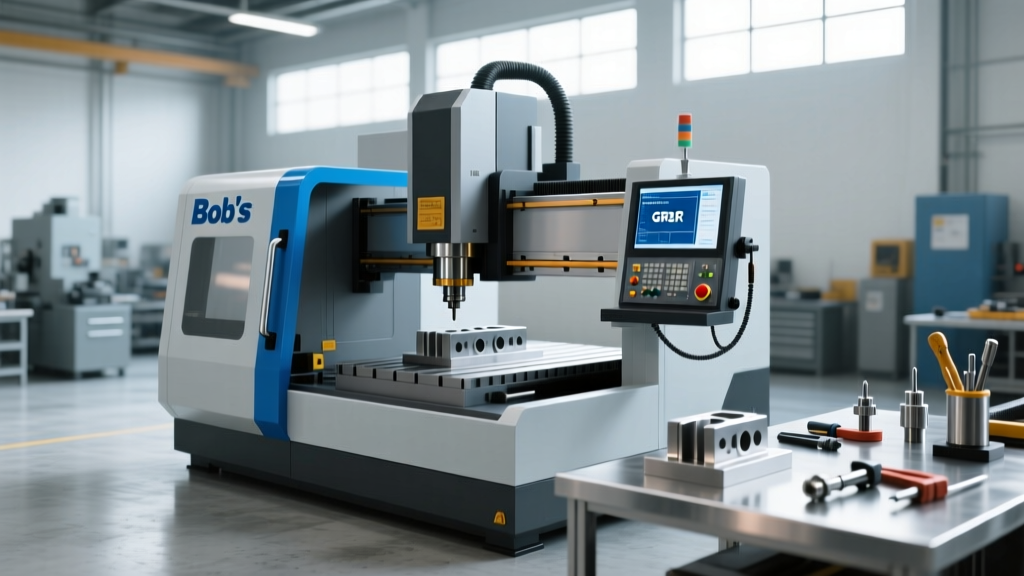
BobsCNC machines—specifically the Evo, TR30, and KL744 models—occupy a critical tier in the desktop CNC market. Priced between $400 and $650, they bridge the gap between unreliable $200 generic 3018 clones and $15,000 industrial ShopBots. However, out-of-the-box dimensional accuracy is rarely perfect. A Bob's CNC machine relies on an open-frame 2020 aluminum extrusion chassis, Delrin V-wheels, and an Arduino-based GRBL controller. Without rigorous operator calibration, these machines will suffer from backlash, layer shifting, and poor edge finishes.
This training guide provides the exact mechanical, firmware, and operational protocols required to transform a stock BobsCNC router into a precision 3-axis milling tool capable of holding tolerances within 0.005 inches.
Operator Safety Prerequisite: Before powering the Arduino control board, ensure you are wearing ANSI Z87.1 rated impact safety glasses and a P100 particulate respirator. BobsCNC machines do not include enclosed splash guards; MDF and acrylic dust will become airborne immediately upon spindle engagement.Mechanical Assembly and V-Wheel Calibration
The most common failure mode for new BobsCNC operators is improper V-wheel tension on the linear rails. The gantry and X-axis carriage ride on 2020 aluminum extrusions using polyurethane/Delrin V-wheels secured by eccentric nuts.
The Eccentric Nut Tuning Protocol
- Loosen all V-wheel nuts on the axis you are calibrating until the wheels can spin freely with a light finger touch.
- Identify the eccentric wheels: On a standard BobsCNC X-axis carriage, two wheels are fixed (round spacers), and two are mounted on hexagonal eccentric nuts.
- Adjust for zero-play: Using the provided 10mm wrench, rotate the eccentric nut in 5-degree increments. Stop when the wheel requires firm force to spin by hand, but exhibits absolutely zero lateral wobble when you attempt to wiggle the carriage.
- Verify parallelism: If the carriage binds at one end of the 2020 extrusion but is loose at the other, the extrusion is not square. Loosen the M5 T-nut bolts on the gantry brackets, square the frame using a precision machinist square, and re-torque to 4 Nm.
GT2 Belt Tensioning
BobsCNC utilizes closed-loop GT2 fiberglass-reinforced belts. A belt that is too loose will cause 'ovaling' on circular cuts and micro-stepping errors. A belt that is too tight will prematurely destroy the NEMA 17 stepper motor bearings. The correct tension yields a 2mm to 3mm vertical deflection when applying 1 kg of downward force at the midpoint of the belt span. Use a digital luggage scale to apply exactly 1 kg of force while measuring deflection with digital calipers.
GRBL Firmware Configuration and Calibration
The brain of the Bob's CNC machine is the GRBL firmware flashed onto the onboard microcontroller. Operators must connect the machine to a PC via USB and use a sender program like Universal Gcode Sender (UGS) or Carbide Motion to access the GRBL settings. Type $$ in the console to view current parameters.
According to the official GRBL v1.1 configuration wiki, the steps-per-millimeter ($100, $101, $102) dictate positional accuracy. While BobsCNC provides default values, thermal expansion and belt stretch require physical verification.
| GRBL Parameter | Function | Typical BobsCNC Value | Verification Method |
|---|---|---|---|
| $100 | X-axis steps/mm | 80.000 | Jog 100mm, measure with calipers |
| $101 | Y-axis steps/mm | 80.000 | Jog 100mm, measure with calipers |
| $102 | Z-axis steps/mm | 400.000 | Jog 20mm, measure Z-block travel |
| $110 | X Max rate (mm/min) | 5000 | Reduce to 3000 if motors stall |
| $22 | Homing cycle enable | 1 (Enabled) | Required for repeatable work zeros |
Workholding and Spoilboard Surfacing
A Bob's CNC machine is only as rigid as its workholding. The stock MDF spoilboard is rarely perfectly parallel to the router's XY travel plane. If you attempt to pocket a 0.010-inch deep engraving on an unsurfaced bed, you will cut through the material in one corner and miss it entirely in the other.
Surfacing the Sacrificial Bed
- Install a 1/2-inch diameter flat bottom (spiral upcut) end mill.
- Set your Z-zero precisely at the highest point of the MDF bed using a paper-feel gauge or an automatic Z-probe.
- Program a raster toolpath with a 40% stepover (0.200 inches) and a depth of cut of 0.030 inches.
- Run the surfacing program. This guarantees the cutting plane is perfectly parallel to the machine's linear rails.
Material Fixturing Strategies
For 3-axis routing on a desktop machine, traditional T-track toe clamps often interfere with the toolpath on smaller BobsCNC models like the Evo. Operators should adopt the following workholding matrix:
- Thin Plywood/MDF (Under 1/4 inch): Use XFasten double-sided CNC tape combined with 4 perimeter brad nails driven into the spoilboard. The tape holds the sheer force, while the nails prevent vertical lifting during Z-axis retracts.
- Acrylic and Plastics: Never use nails on acrylic due to stress cracking. Use a vacuum pod if available, or secure the perimeter with low-profile aluminum toggle clamps, ensuring the clamp height is below the Z-clearance plane (typically 0.5 inches).
- Non-Ferrous Metals (Aluminum 6061): Double-sided tape will fail under the lateral cutting forces of aluminum. You must bolt the workpiece directly to the spoilboard using M5 low-profile socket head cap screws through pre-drilled pilot holes in the waste area of the stock.
Cutting Capabilities: Feeds, Speeds, and Tooling
BobsCNC machines are predominantly used for wood, plastics, and light engraving. While marketing materials suggest aluminum cutting capabilities, doing so requires strict adherence to conservative chipload limits to prevent breaking the 1/4-inch collet or stalling the 1.25 HP trim router.
Consulting the CNC Cookbook router feed and speed guidelines, operators must balance RPM, feed rate, and depth of cut (DOC) to maintain proper chipload and avoid heat buildup, which melts plastics and work-hardens aluminum.
| Material | Tooling | Spindle RPM | Feed Rate (IPM) | Max DOC |
|---|---|---|---|---|
| Baltic Birch Plywood | 1/4" 2-Flute Downcut | 18,000 | 60 | 0.125" |
| Cast Acrylic | 1/4" 1-Flute O-Flute | 15,000 | 45 | 0.100" |
| HDPE / StarBoard | 1/4" 2-Flute Upcut | 12,000 | 80 | 0.150" |
| 6061 Aluminum | 1/4" 3-Flute Carbide | 10,000 | 15 | 0.020" |
Preventative Maintenance Schedule
Desktop CNC machines accumulate fine particulate dust that acts as an abrasive lapping compound on moving parts. Adhere to this maintenance cadence to preserve machine accuracy:
- Weekly: Vacuum the X and Y linear rails. Wipe the 2020 extrusions with a microfiber cloth dampened with isopropyl alcohol. Do not use compressed air, as it will force MDF dust into the sealed NEMA 17 motor bearings.
- Monthly: Inspect the Z-axis ACME lead screw. Clean off old swarf using a brass wire brush, then apply a thin film of PTFE-based synthetic grease (such as Super Lube 21030). Never use WD-40 or wet chain oils, which will attract dust and form a grinding paste.
- Bi-Annually: Check the GRBL belt tension and re-verify the eccentric nut preload on all V-wheels. Thermal cycling and vibration will inevitably cause the M5 locknuts to back off slightly over time.
For advanced troubleshooting, macro configurations, and replacement part schematics, operators should regularly consult the BobsCNC official support documentation. Proper setup and disciplined maintenance will easily extend the operational lifespan of a desktop 3-axis router well beyond its warranty period, yielding professional-grade tolerances on a hobbyist budget.